To issue a prepayment invoice you need to issue an estimate for the total amount first. Preview that estimate and click the Create Prepayment Invoice button, which is located above the document.
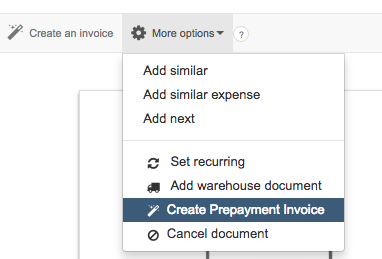
A new window will appear, allowing you to select one of three available methods to calculate the amount:
-
% of full amount
-
Gross amount
-
Issue manually
After issuing the prepayment invoice, you may go back to the estimate, issue another prepayment or close all transactions by issuing a final invoice.
If you issue the final invoice, a document with linked prepayment invoices will be generated. The total amount on the document will be subtracted by those prepayment invoices’ amounts.