The InvoiceOcean allows you to export invoices into the .csv type of document.
To do so go to: Income > All.
Then click on the: ‘Export/Reports’ button (upper-right corner) > Export to CSV
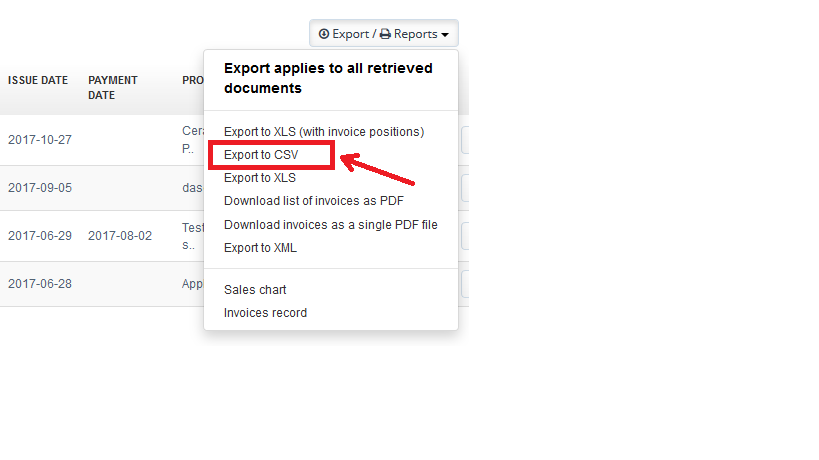
In next step system will ask you ‘Do you want to export ‘n’ documents?’ and by choosing the ‘OK’ button system will download said export into your hard disk drive.

In the Basic, Professional, Enterprise plans you may generate such exports up to 1000 documents.