If you are accepting transfer payments in multiple currencies you can create a message in multiple languages using Handlebar tags.
Go to Settings > Online Payments > Payment providers > Bank transfer.
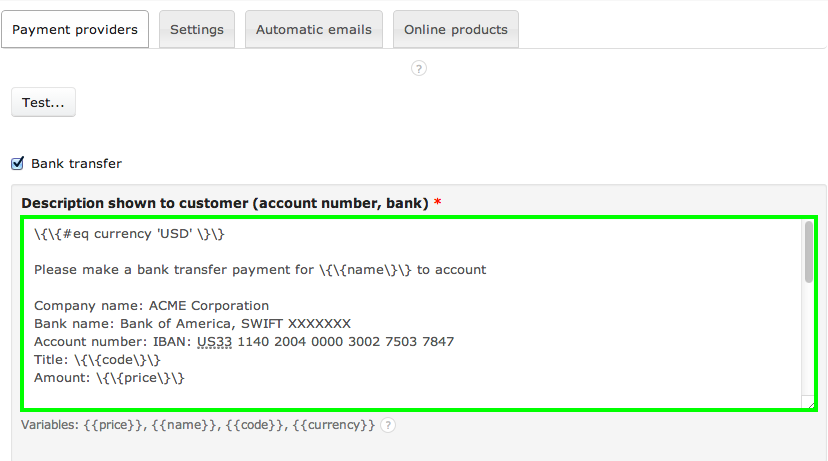
Sample:
\{\{#eq currency 'USD' \}\}
Please make a bank transfer payment for \{\{name\}\} to account
Company name: ACME Corporation
Bank name: Bank of America, SWIFT XXXXXXX
Account number: IBAN: US33 1140 2004 0000 3002 7503 7847
Title: \{\{code\}\}
Amount: \{\{price\}\}
If you want the service to be activated quicker, please send the payment confirmation to email address: payments@testemail.com
\{\{else\}\}
Please make a bank transfer payment for \{\{name\}\} to account
Company name: ACME Corporation
Bank name: Neutral Bank, SWIFT XXXXXXX
Account number: IBAN: NU32 1140 2004 0000 3002 7503 7847
Title: \{\{code\}\}
Amount: \{\{price\}\}
If you want the service to be activated quicker, please send the payment confirmation to email address: payments@testemail.com
\{\{/eq\}\}
\{\{#eq currency 'USD' \}\}
Please make a bank transfer payment for \{\{name\}\} to account
Company name: ACME Corporation
Bank name: Bank of America, SWIFT XXXXXXX
Account number: IBAN: US33 1140 2004 0000 3002 7503 7847
Title: \{\{code\}\}
Amount: \{\{price\}\}
If you want the service to be activated quicker, please send the payment confirmation to email address: payments@testemail.com
\{\{else\}\}
Please make a bank transfer payment for \{\{name\}\} to account
Company name: ACME Corporation
Bank name: Neutral Bank, SWIFT XXXXXXX
Account number: IBAN: NU32 1140 2004 0000 3002 7503 7847
Title: \{\{code\}\}
Amount: \{\{price\}\}
If you want the service to be activated quicker, please send the payment confirmation to email address: payments@testemail.com
\{\{/eq\}\}