InvoiceOcean gives Users the ability to search for specific warehouse documents they need.
To search for a particular warehouse document:
- go to Warehouse> Warehouse documents
- type the desired word or number in the Enter keyword or number;
- press Search.
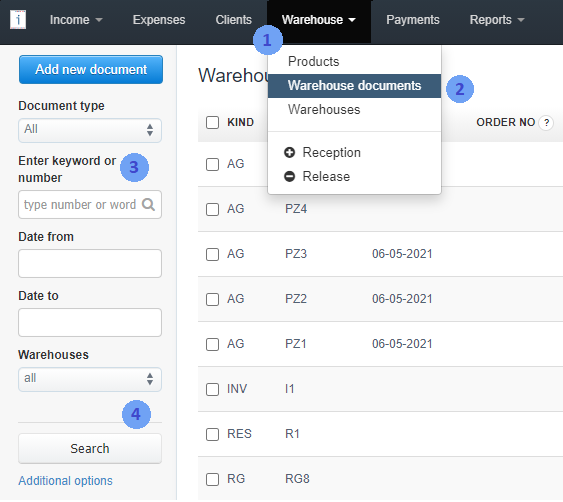
The Enter keyword or number field includes searching by fields such as:
- document number (up to the first 50 characters),
- Recipient's name (up to the first 90 characters),
- Seller’s name (up to the first 90 characters),
- order number (up to the first 25 characters).
Here you can learn how to find and expand document search in the invoice list.