Firstly, activate the MOSS invoices option. In order to do so, go to Settings > Account settings > Configuration > Invoices and documents > MOSS invoices.
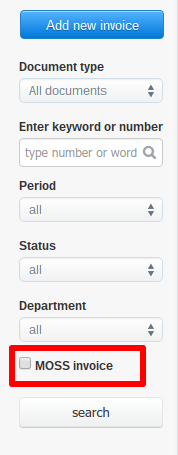
Now you can filter the search using the new checkbox MOSS invoice (Income > All or Expenses).
Unfortunately, I couldn't find an answer to this question.
Unfortunately, I couldn't find an answer to this question.