InvoiceOcean has partnered with Base.com to integrate with several applications and offer our clients a variety of possibilities to shop in marketplaces, place orders in e-commerce stores and keep your business flow.
You can integrate your Base account with different e-commerce stores and place orders, then create an invoice for those orders and sent it to InvoiceOcean.
1. In order to integrate with Base.com, please Register in Base.com
2. Once you login into your Base account, you must integrate your InvoiceOcean and e-commerce store accounts.
How to integrate your invoiceOcean account with Base?
1. In your Base.com main menu, find the Integrations tab > Add Integration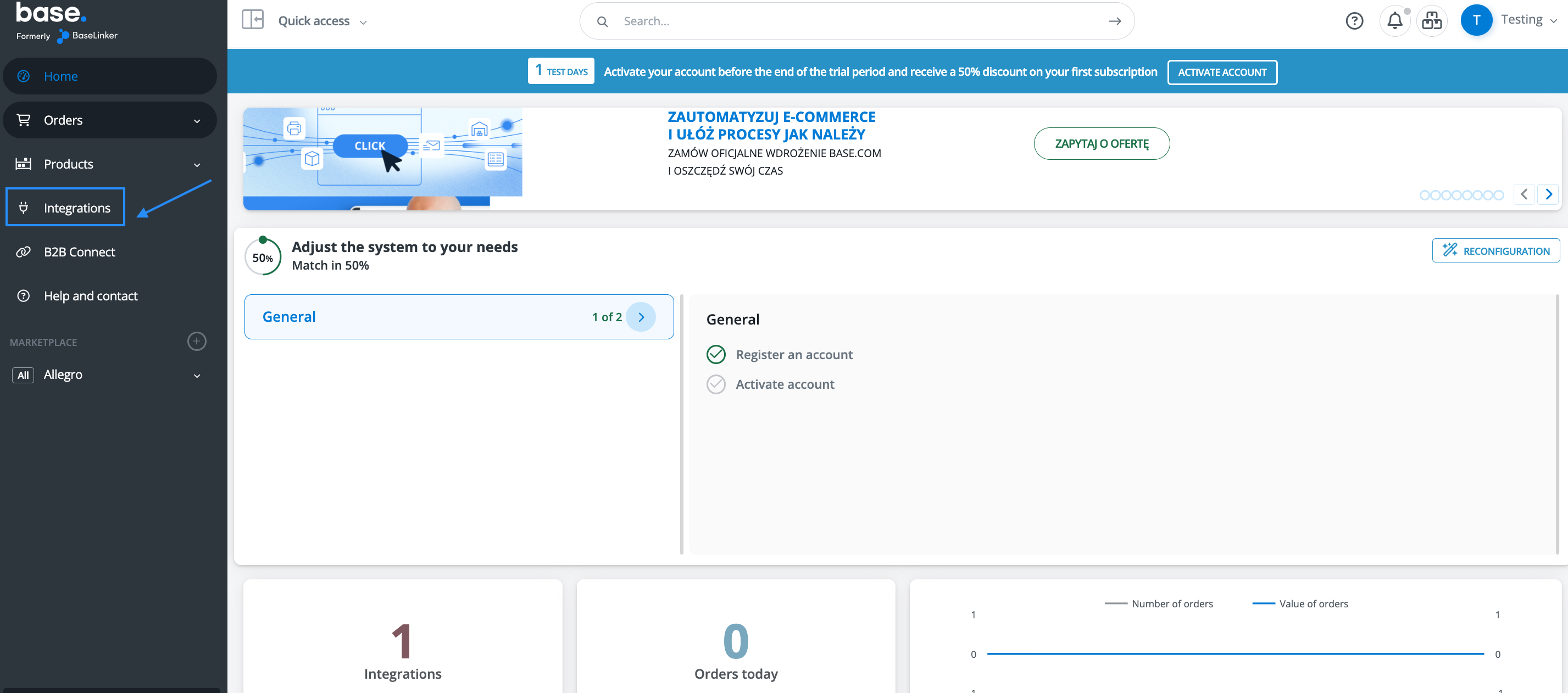
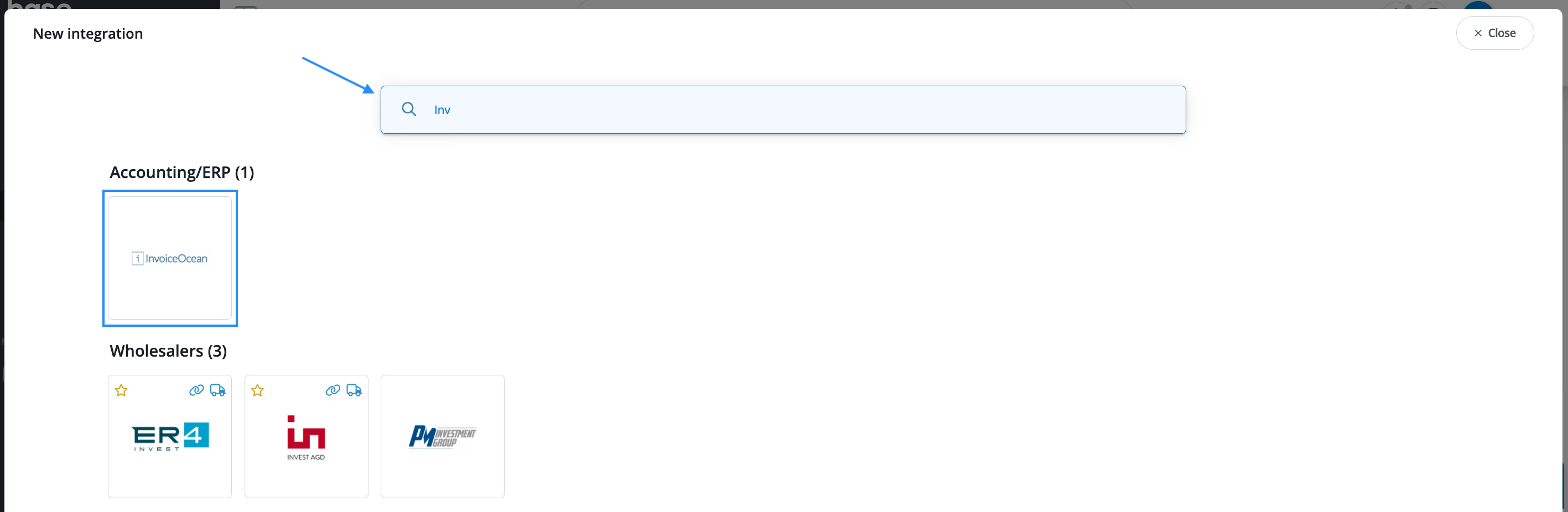
2. In the search tool, type in InvoiceOcean to integrate with us,
3. A New integration > InvoiceOcean form will be displayed to create your connection. Please, fill in the information for Login and API token obtained from InvoiceOcean.
Learn more how to get your API toke, here.
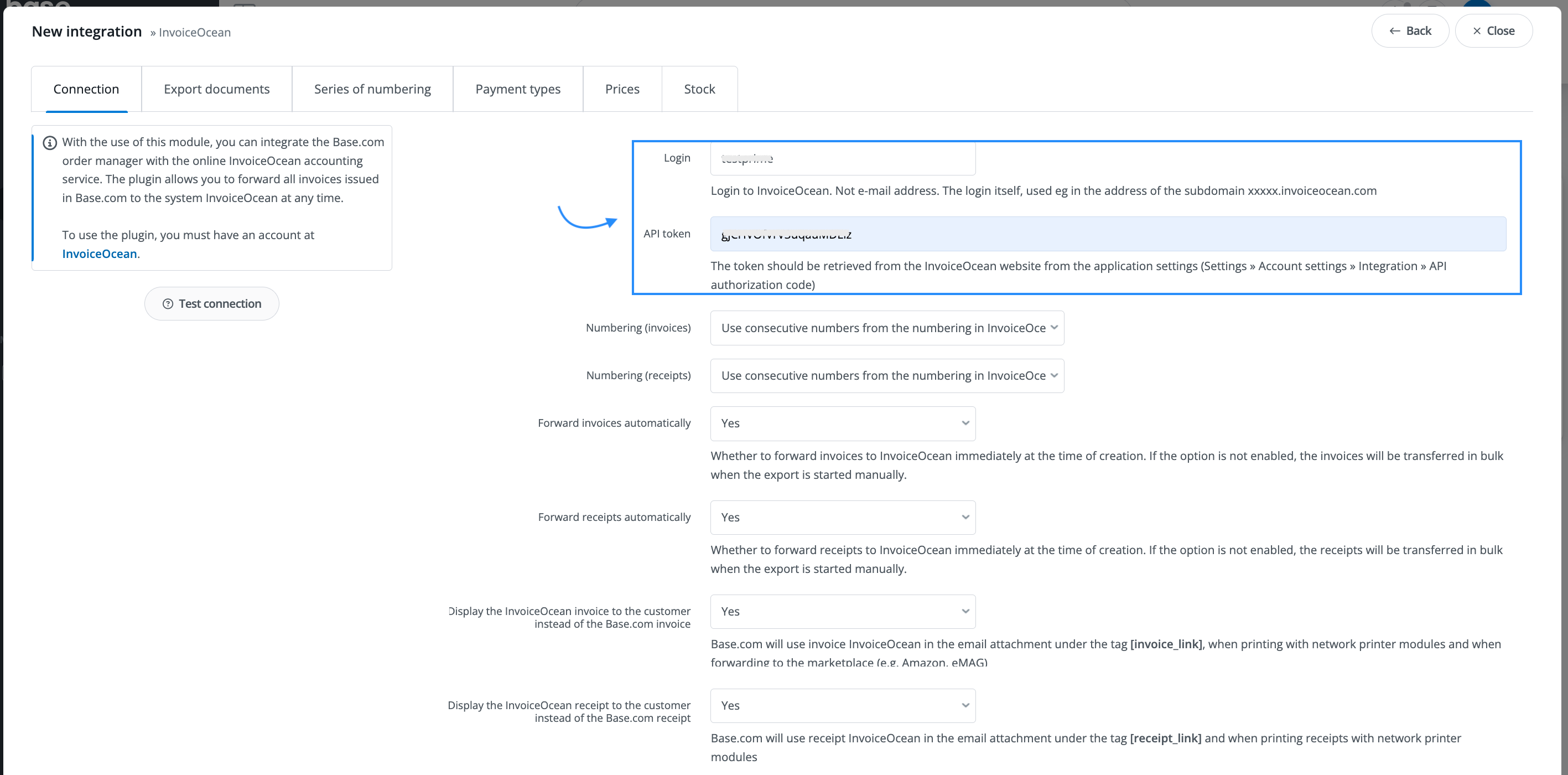
- In the field Numbering (invoices), select the option Use consecutive numbers from the numbering in InvoiceOcean. This option will allow you to keep the consecutive numbering stablished in your InvoiceOcean account when exporting your invoice.
- In the field Forward invoices automatically, select Yes. This option will allow you to forward invoices automatically to InvoiceOcean after their creation in Base.com.
- In the field Display the InvoiceOcean invoice to the customer instead of the Base.com invoice, select Yes. This option will allow you to keep the template selected in your InvoiceOcean account.
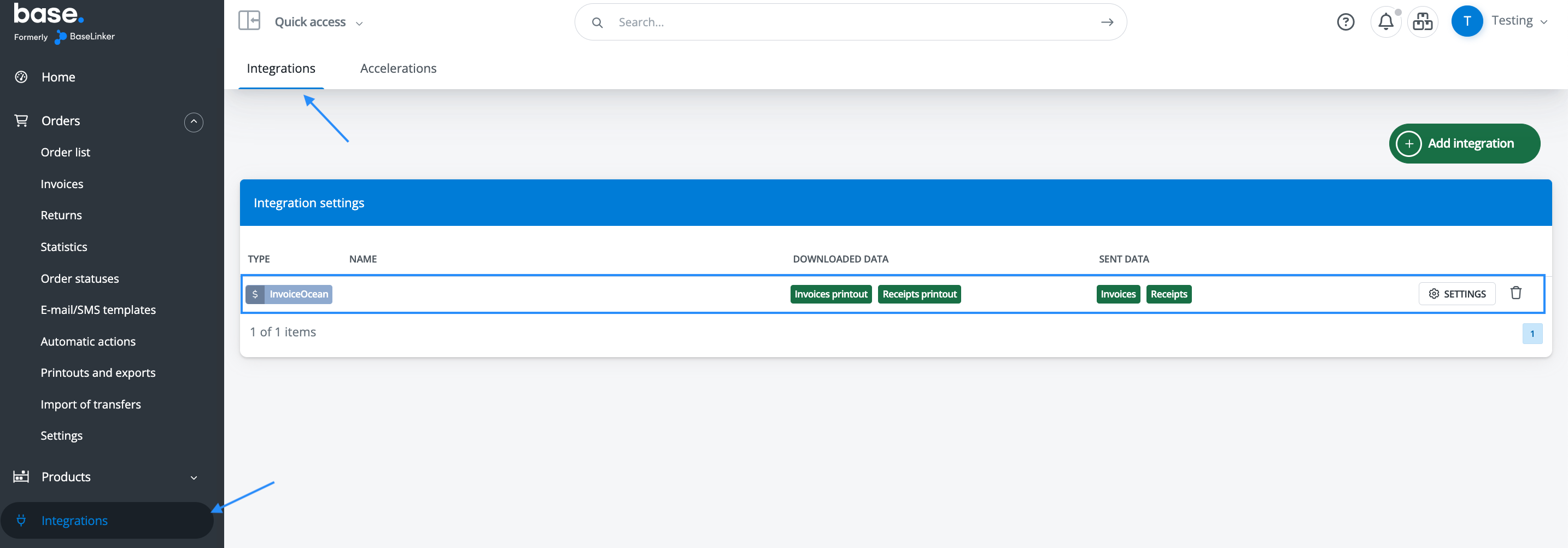
- click Save and you will see the integration in your integrations list.
How to create an invoice from an order placed in Base.com and send it to InvoiceOcean?
1. You must first place an order:
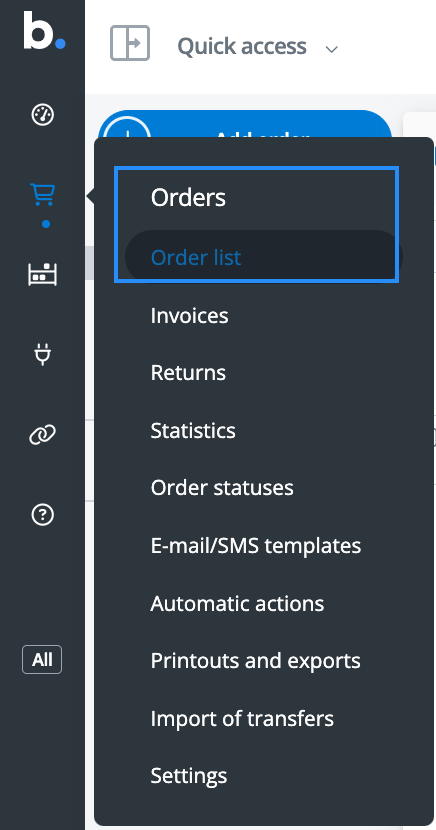
- Go to the Base main menu and select the shopping cart icon (Orders) from there select the option Order list,
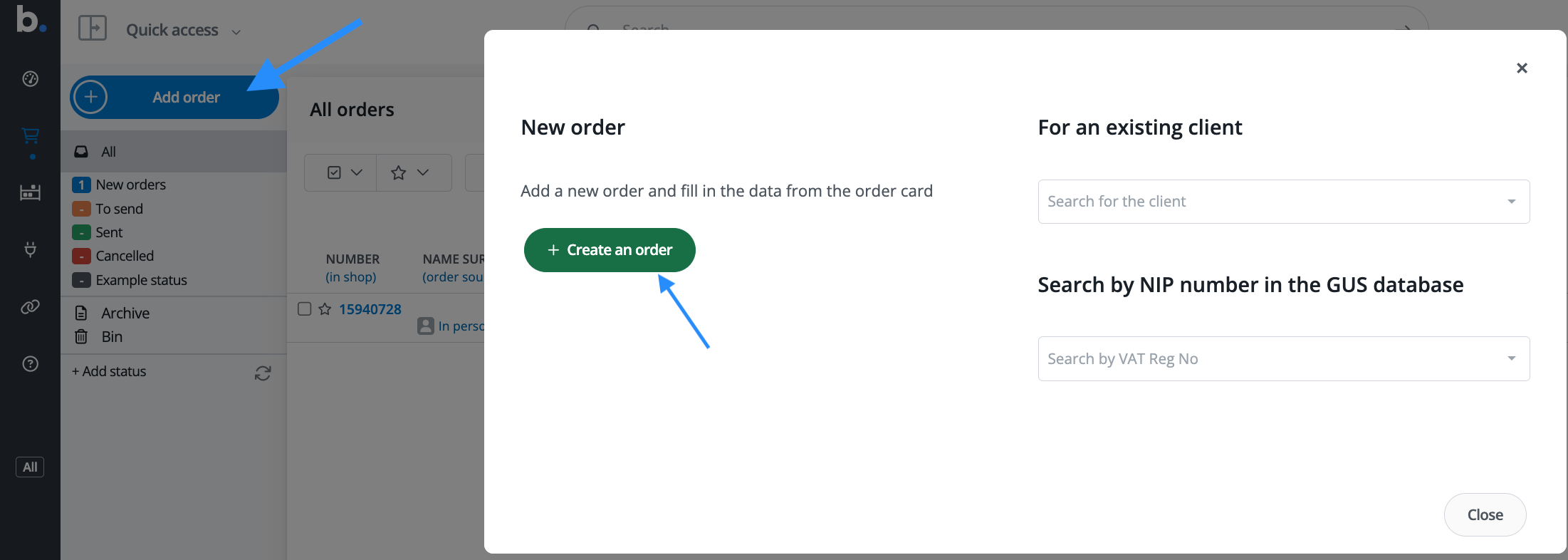
- Select the blue button Add order. A window will pop up. click on the green button Create order,
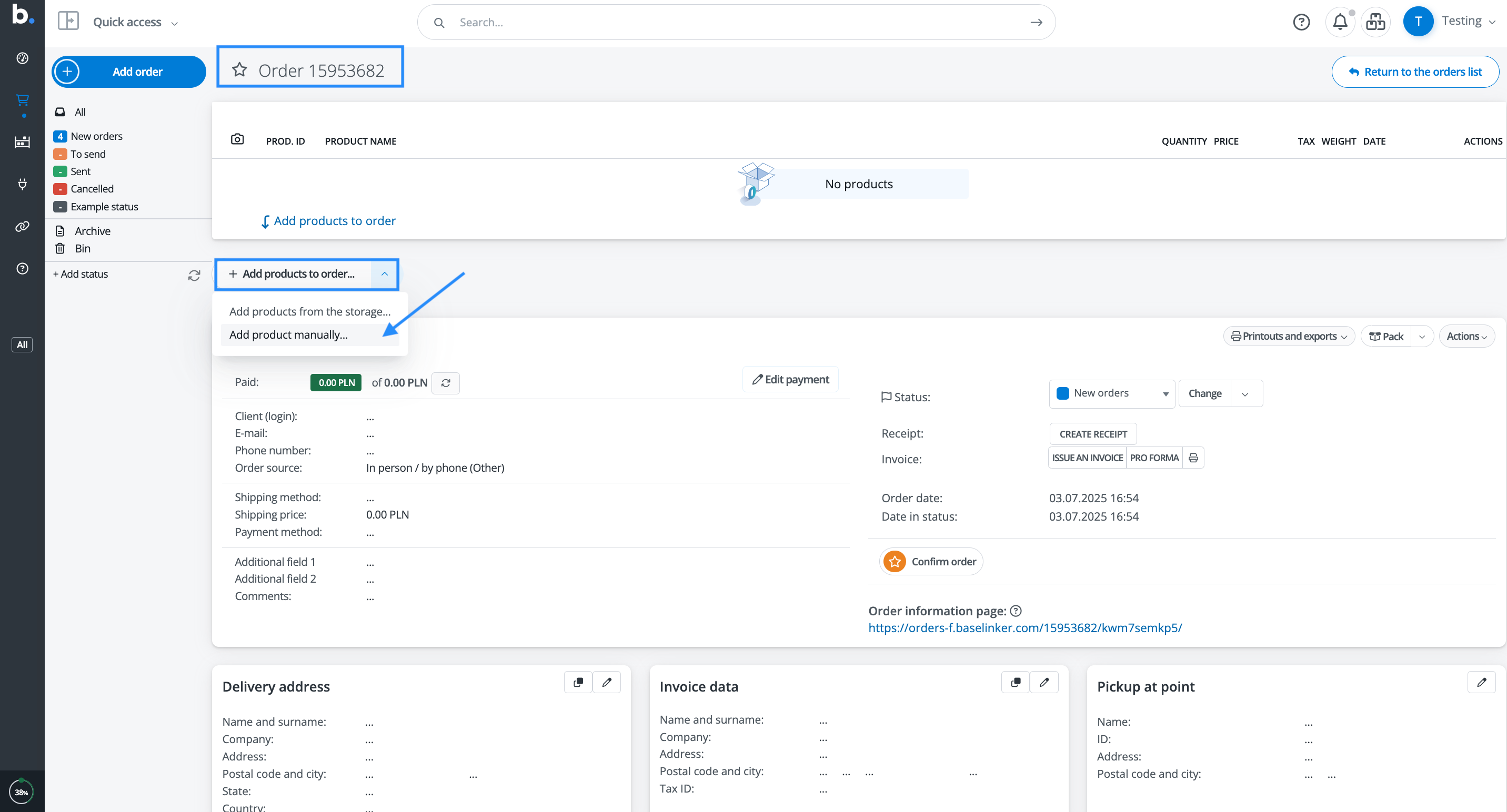
- A new form displaying the order number will appear. If you have not entered any products, please use the option Add products to order > Add products manually,
-
Enter the product with all the information required and Save.
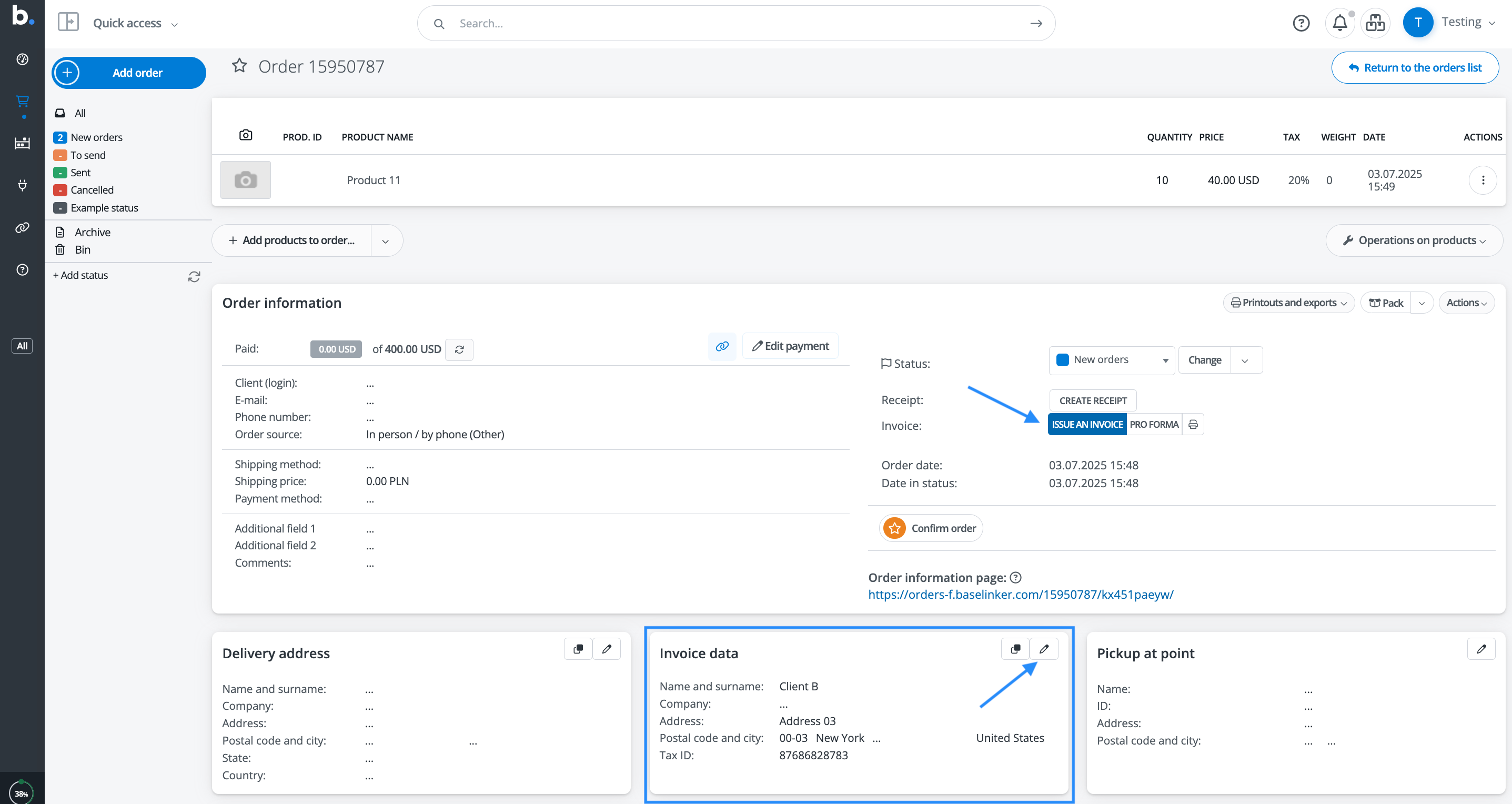
2. Edit the recipient's information in the Invoice data field. Add the required information and Save. Then click on the blue button Issue an Invoice,
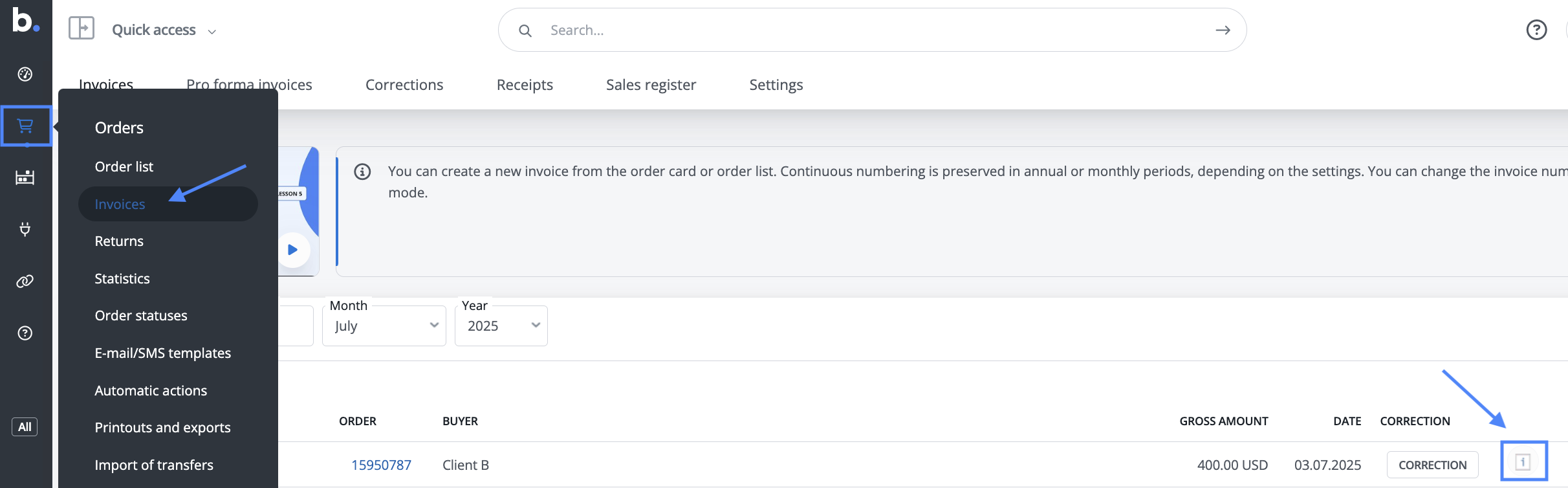
3. Your invoice will be automatically sent to InvoiceOcean. You can confirm In Base.com in Orders > Invoices. Click on the InvoiceOcean icon on the right side of invoice list,
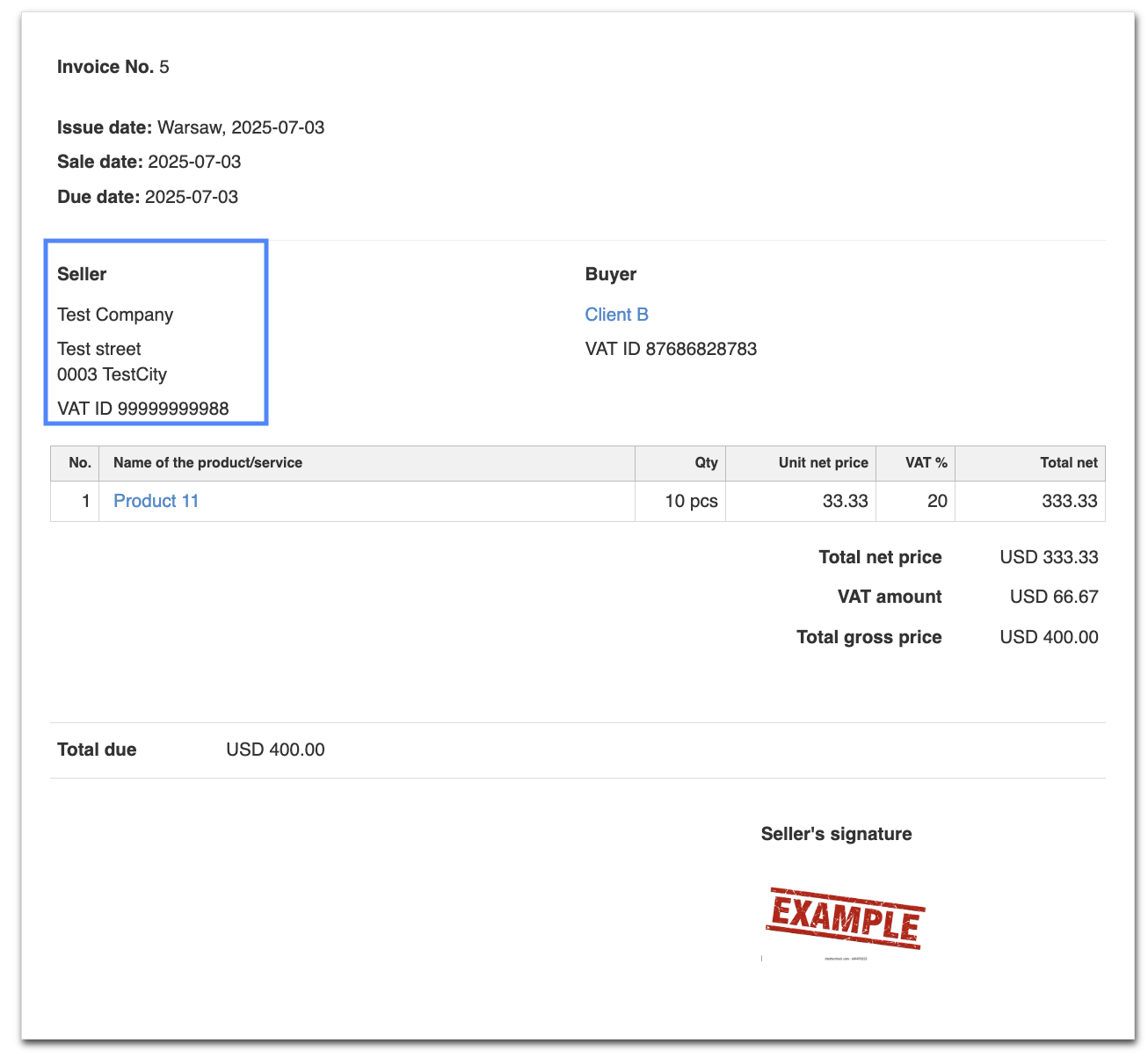
4. Check in your InvoiceOcean account the new Invoice in Income > Invoice.
NOTE: Please be aware that the information that will be displayed in the Seller's side of the invoice, will be the set up in your InvoiceOcean account, unless you set a different information in Base.com while issuing the invoice.

How to integrate Base.com with Amazon and InvoiceOcean:
- In order to integrate your Amazon account with InvoiceOcean and Base you must have an account in all 3 platforms and integrate them in Base.com.
- To learn how to integrate your Amazon account with Base.com, please follow the instructions in the Base.com kowledge base.
- Complete the settings for your Amazon account. Learn how to do it here.
- Download the orders from Amazon. The order information from your Amazon account is sent to Base.com via API according to your settings. The order will be displayed in your Orders menu in Base.com.
- Create an invoice from such order and send it to InvoiceOcean by using the blue button Issue an invoice in the order form.
- Confirm the invoice issuance in your InvoiceOcean account and send it to your client.