Efficient helpdesk, easy-to-use CRM and always available knowledge base are a key part of any serious enterprise. This is why InvoiceOcean is integrated with Sugester - simple software for customer support. Read on to learn how to start automatically syncing your InvoiceOcean customer database with Sugester.
-
Obtain your Sugester API authorization code. To do so, first login to your Sugester account. Then, in the top-right corner, click on Settings > API. Your code will look something like this:
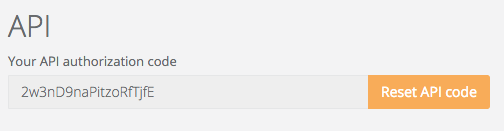
- Make sure to copy the code to your clipboard or a text file - you will need it later.
-
Setup sync in InvoiceOcean. Login to your InvoiceOcean account and go to Settings > Account settings > Integration.
src="https://assets2.intum.net/1/cms/assets/kb-old/siteor/sugester/files/images/pics-en/inv1.png" /> src="https://assets2.intum.net/1/cms/assets/kb-old/siteor/sugester/files/images/pics-en/inv2.png" />
- Scroll down to the Webhooks section.
- In the Type field select client:update. Paste your API token in the field marked API token. Then paste your account's URL into the URL field in the following format:
src="https://assets2.intum.net/1/cms/assets/kb-old/siteor/sugester/files/images/pics-en/inv3.png" />http://ACCOUNT-NAME.sugester.pl/app/clients/external_update.json - Click Save and return to your Sugester account.
- That's it! From now on, your InvoiceOcean customer database is being synced with Sugester in real time.src="https://assets2.intum.net/1/cms/assets/kb-old/siteor/sugester/files/images/pics-en/inv4.png" />