Video tutorial:
This option is located in Settings> Account settings> Configuration> Exchange rate options.
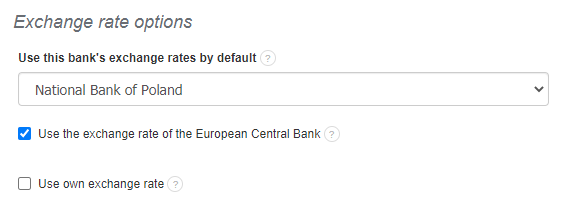
Conversion of individual values on the invoice at the appropriate exchange rate depends on one more thing in the system, namely on how the total invoice value is calculated. The option is available under Settings> Account settings> Configuration> Ways of calculation> How to calculate total invoice value.
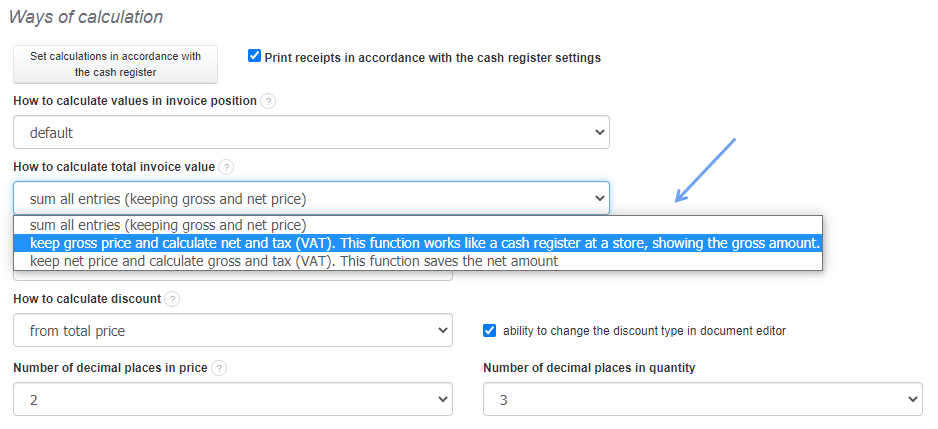
There are 3 options available:
- sum all entries (keeping gross and net price)
Program sums all net and gross values from all items on the invoice. On the basis of the difference in the sum of the gross and net values, it adjusts the VAT calculation and puts any approximations resulting from the conversion into the VAT value.
How does the conversion of the amount into currency according to the exchange rate occur in such a case?
Example:
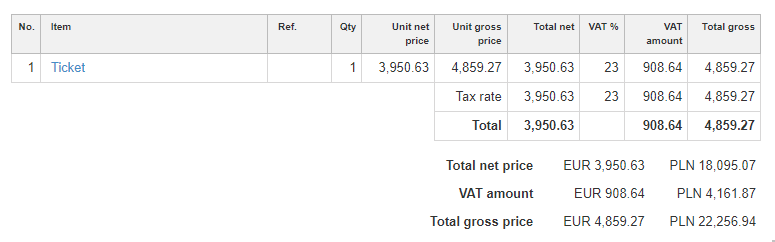
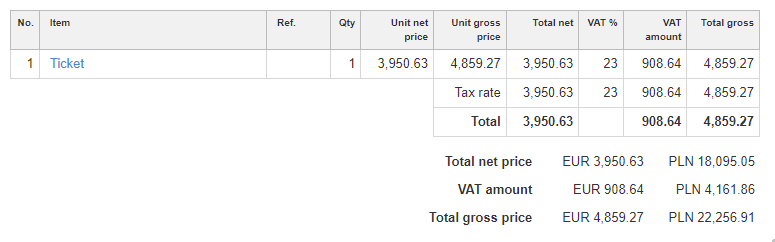
3950.63 (total net) x 1,23 = 4859.27 (total gross). VAT amount – 908.64. Exchange rate: 4.5803
In this case, the program multiplies already calculated VAT amount by the exchange rate 908.64 x 4.5803 = 4161.84
- keep gross price and calculate net and tax (VAT). This function works like a cash register at a store, showing the gross amount.
Program sums all gross values from invoice items, then subtracts the sum of VAT values from the items and adjusts the net value. Any approximations resulting from the conversions are "placed" in the net value.
Example:
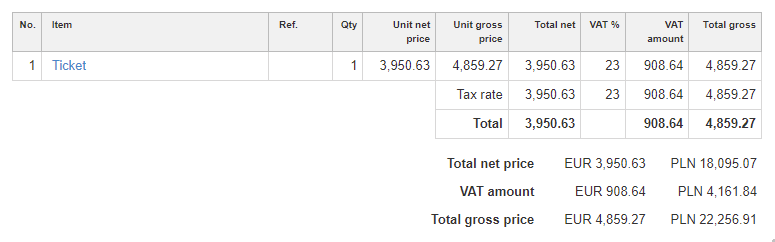
3950.63 (total net) x 1,23 = 4859.27 (total gross). Exchange rate: 4.5803
In this case, the program multiplies gross amount by the exchange rate 4859.27 x 4.5803 = 22 256.91
Calculated VAT will be in the amount: 22 256.91 - (22 256.91: 1.23) = 22 256.91 – 18 095.05 = 4161.86 (difference from previous conversion)
- keep net price and calculate gross and tax (VAT). This function saves the net amount
Program sums all net values from the items, adds the sum of the VAT values from the items and adjusts the gross value. Any approximations resulting from conversions are "placed" in the gross value.
Example:
3950.63 (total net) x 1,23 = 4859.27 (total gross). Exchange rate: 4.5803
Program multiplies net amount by exchange rate 3 950.63 x 4.5803 = 18 095.07
Calculated VAT will be in the amount: 18 095.07 x 0.23 = 4161,87 (difference from the first conversion of the VAT amount).