Users with the role of the ‘Account owner’ have the option to restrict access to certain functions for those other users who access the the Invoice Ocean account. One of the options is to block the ability to delete invoices. To block the ability to delete an invoice go to Settings > Account settings > Configuration > Users and privileges > Block invoice deletion and choose the appropriate setting from the list
The ability to delete invoices can be blocked for users only or for both users and administrators
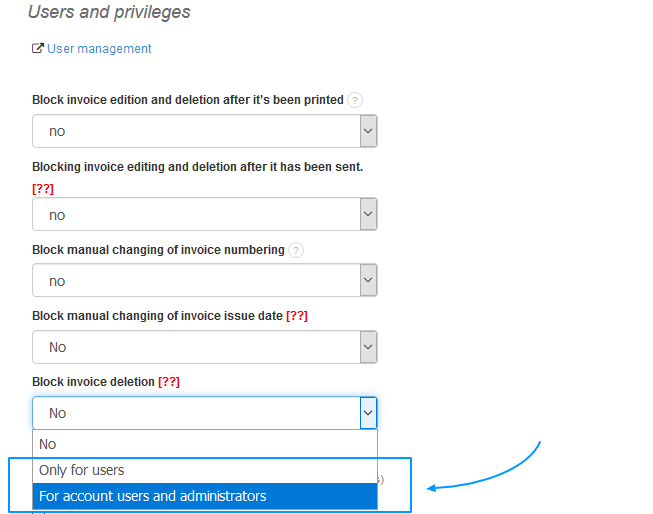
Note: The option 'For account users and administrators' in this case also applies to the account owner. To delete an invoice as the account owner, you must first change the settings to either no security or 'Only for users' security