InvoiceOcean gives its users the possibility to protect their accounts against unauthorised logging in. Thanks to that, the account owner may indicate selected IP addresses from which access to the account will be possible – it can be, for example, the IP address used in the company office.
Note, however, that this restriction applies to users and account administrators, not to the account owner who can log in from any IP.
To restrict access from outside the selected IPs:
- go to Settings> Account Settings
- go to Configuration> Security
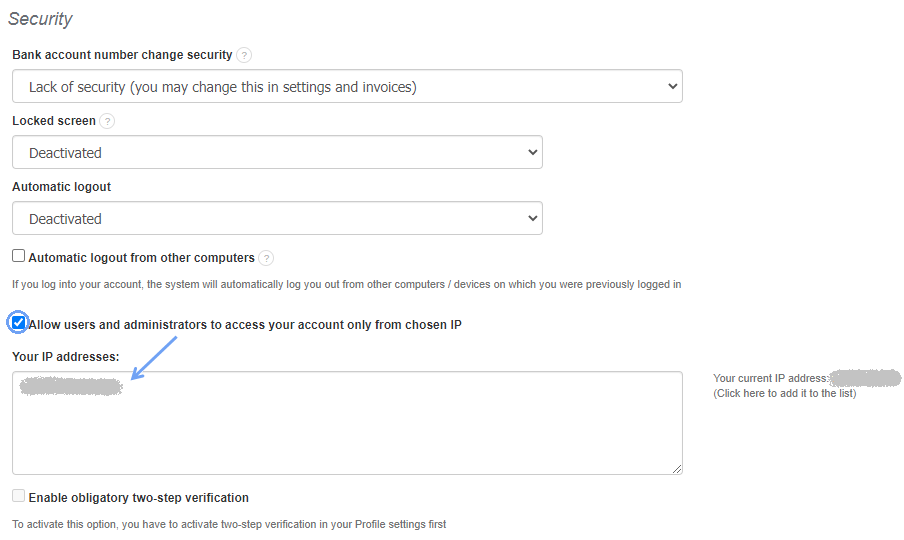
- select the checkbox Allow users and administrators to access your account only from chosen IP
- enter the selected IP addresses in the List of allowed IP addresses field (consecutive numbers can be entered on separate lines or separated with a comma or semicolon)
-
press Save
Note, however, that IP address protection is available on the Enterprise plan.