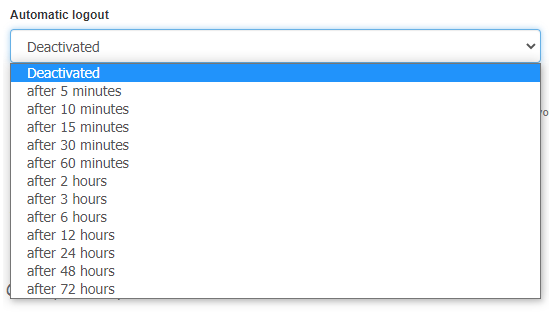
InvoiceOcean offers the possibility of introducing an additional security. From now on, you can set the time after which the program will automatically log you out of the system. This feature is intended to prevent users from having their data accessed by others.
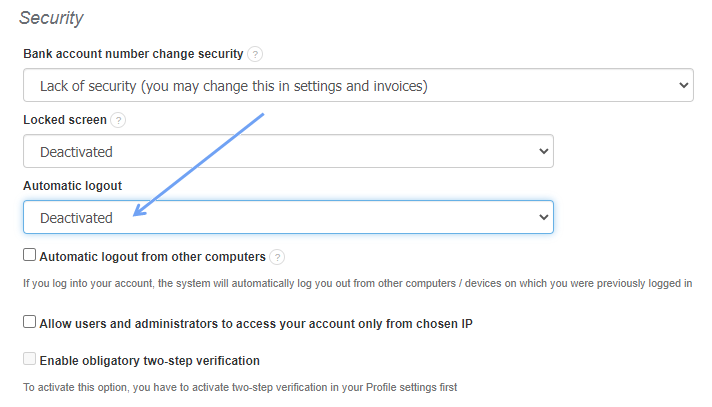
If you want to enable this function, go to Settings> Account settings> Configuration> Security and then find the option Automatic logout.
Use the options available in the check box. The system can automatically log off after respectively:
- 5 minutes;
- 10 minutes;
- 15 minutes;
- 30 minutes;
- 60 minutes;
- 2 hours;
- 3 hrs;
- 6 hrs;
- 12 hours;
- 24 hours;
- 48 hours;
- 72 hours.
After selecting the option that suits you, remember to press the Save button.
Find out how to make your data more secure while using the InvoiceOcean system. Check out the post about screen lock.