Users of InvoiceOcean sometimes experience problems when entering documents into the system or encounter other inconveniences during their work. In order to ensure their satisfaction as well as their security, a feature was introduced to provide technical support from system administrators. In exceptional cases you may grant InvoiceOcean administrators access to your account for a period of time determined by you.
To do this:
- go to Settings> Account Settings
- go to the Your account tab
- scroll to the bottom of the page
- press the button Tech support access
- select a date convenient for you in the box under the button (it will automatically display the day, which will be exactly one week after granting access, but you can simply enter the current date)
- press the Save button
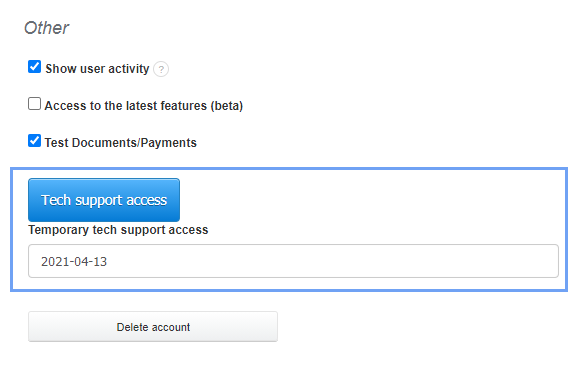
Tech support access will be revoked automatically after the expiration date.
Note: This option exists for the purpose of allowing us to help you when general support does not suffice.