In the system, you can assign specific roles to email addresses that have been added as users to the account. Additionally, the program allows for the creation of individual roles where you decide the access of a particular user to specific functions within the account. In this article, you will learn how to create a custom role and grant it administrative privileges in the form of user access.
Custom roles - access to users
To grant access to users within the privileges:
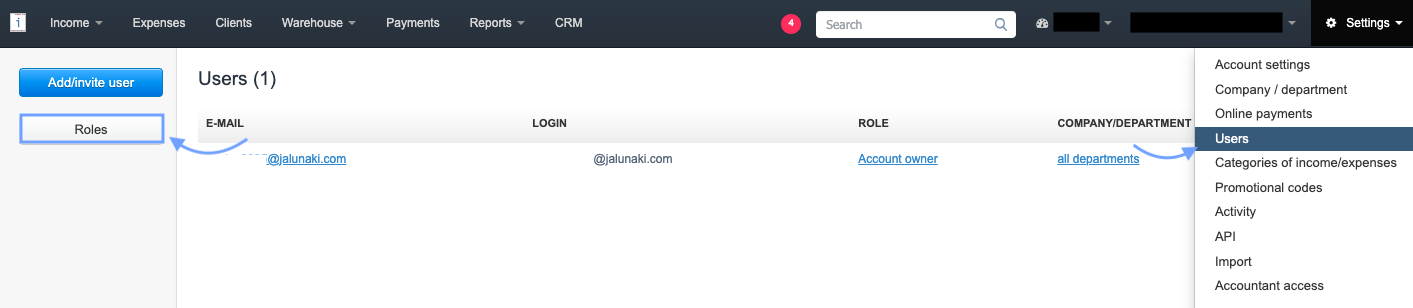
1. Go to Settings > Users and select Roles from the panel on the left side,
2. In the next step, use the Add new role button,

3. Fill in the Role Name field,
4. in the Privileges section, check the checkboxes next to the options that the user should have access to.
5. To grant access to users, check the checkbox next to the Users option in the Administrator privileges section.
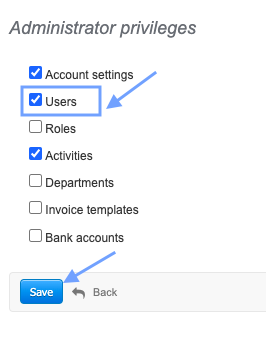
6. Confirm the creation of the new role by clicking Save at the bottom of the page and assign the role to the selected email address.
A person with access to users can navigate to the Settings > Users menu, which allows them to invite new users to the account and assign or modify their privileges..