In InvoiceOcean, it is possible to restrict the visibility of the client database for employees with the roles of User and Accountant, while the same client database remains accessible to the Account Owner and Administrators.
To activate the client visibility restriction feature, follow these steps:
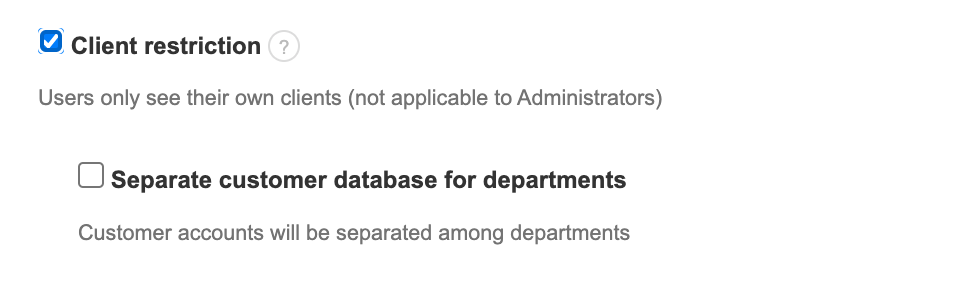
- Go to: Settings > Account Settings > Configuration > Users and Privileges
- Check the checkbox next to Client restriction
- Save the settings by clicking the Save button at the bottom of the page
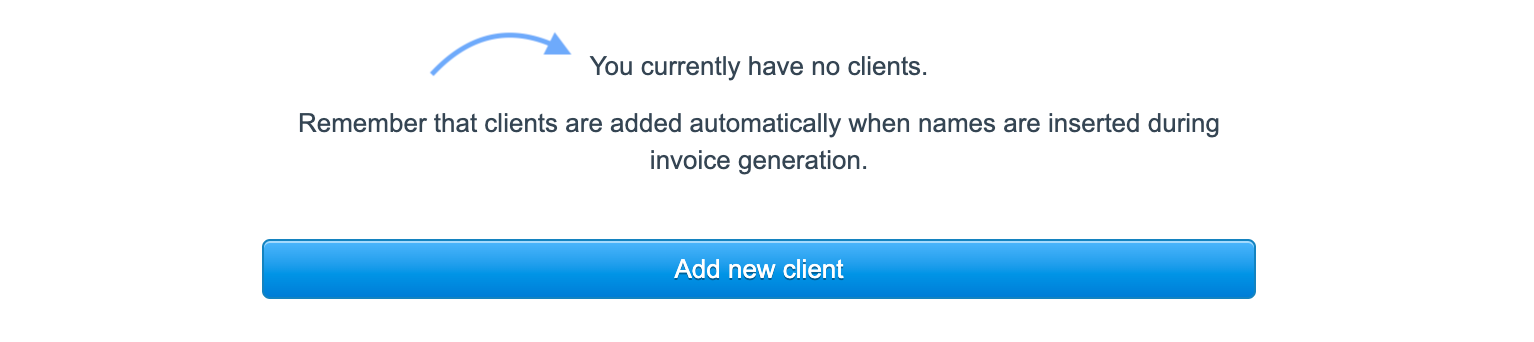
After activating this feature, the client database will remain visible to the Account owner and Administrator. However, employees with the roles of User and Accountant will see the message: You currently have no clients.

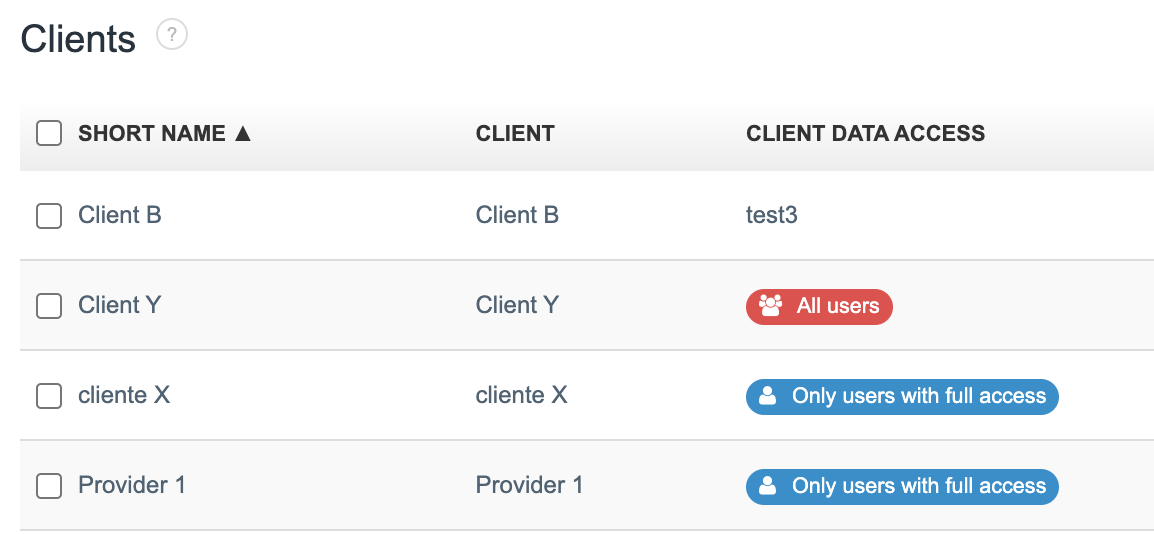
Of course, an employee with restricted access to the full client database can still add new clients. In such cases, for each client added by an employee with the role of User or Accountant, the system will indicate All users in the Client data access field. This client will then appear on the list of clients accessible to the employee, other employees with the same privileges (User or Accountant), and those with higher privileges (Account Owner and Administrator).
When adding a new client to the Client database, you can specify which users, depending on their privileges and access, should see the client on the client list.
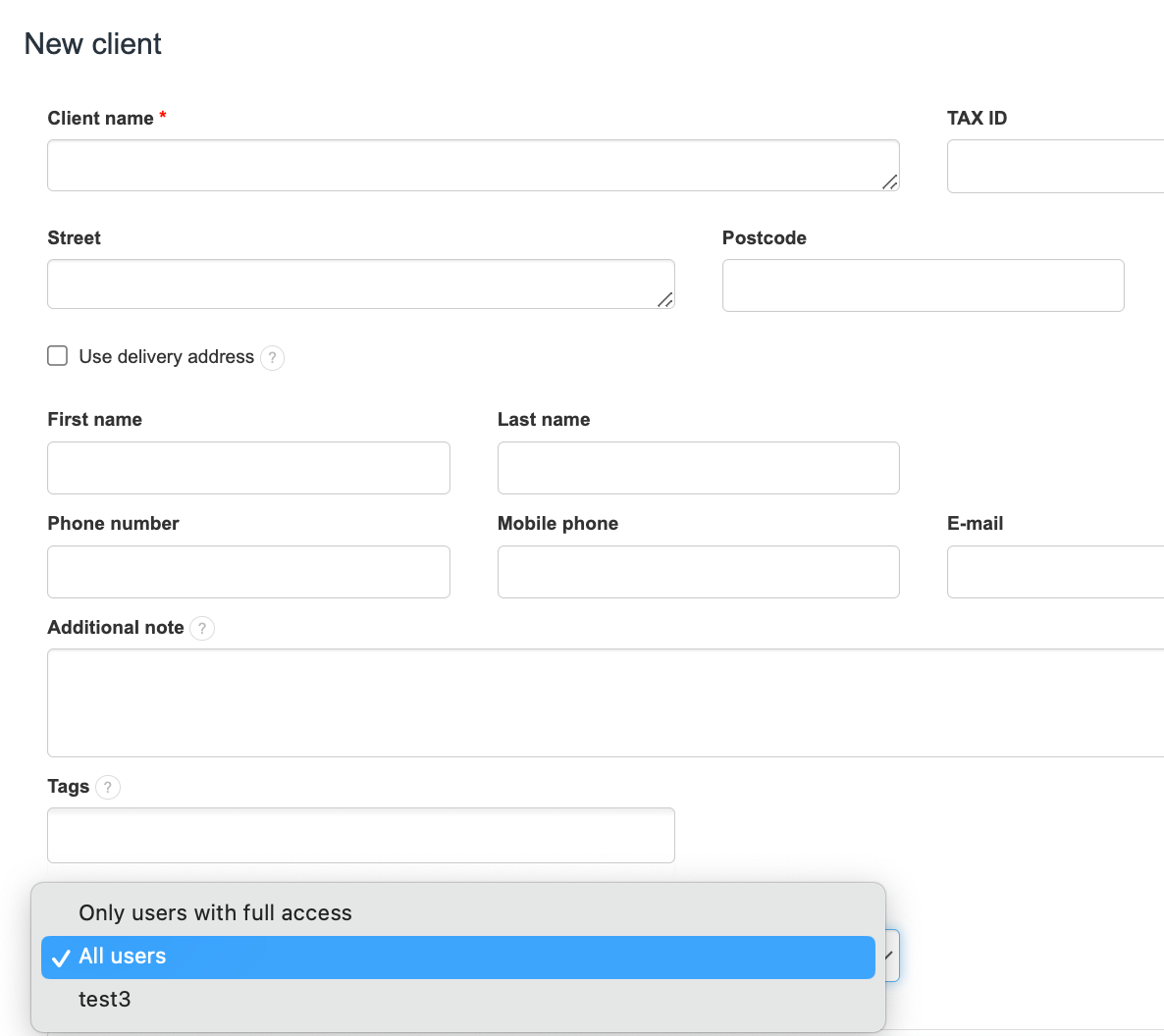
Options include:
- Only users with full access: These clients are visible in the Client database only to the Account Owner and Administrator.
- All users: These clients are visible in the Client database to the Account Owner, Administrator, Accountant, and User.
- Specific departments: For example, test 3 is a department name in our sample company. If you want a client to be assigned exclusively to Company A (e.g, test3), you can assign them here. Employees with the User role who are assigned to specific departments (e.g., Company A - test3) will not see clients assigned to other departments.
Learn how to add new departments in our guide New Department, new company, new bank account – What's the Differences and how to add them.
Find out how to assign a department to an employee in How to add a new user to your account.
Also, check out: