InvoiceOcean allows you to add additional tax numbers to your company data. This ensures that your Invoices can be used both internationally and nationally. To add an additional tax number navigate to Settings > Company / department > Select the Company/department and edit the VAT ID field.
If you are for instance operating in the Netherlands, this field can be used to add your KvK number.
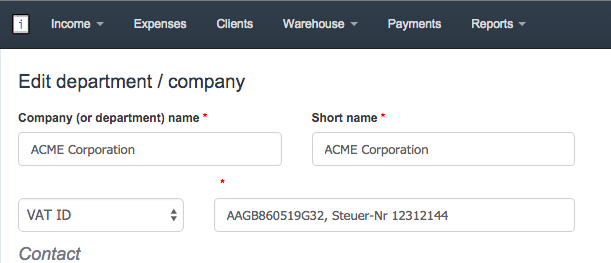
You can also create new department with another tax.
If you are for instance operating in the Netherlands, this field can be used to add your KvK number.
You can also create new department with another tax.