In InvoiceOcean, it is possible to assign a client to only one department in order to narrow down the list of clients that can only be accessed by individual account users.
To do this:
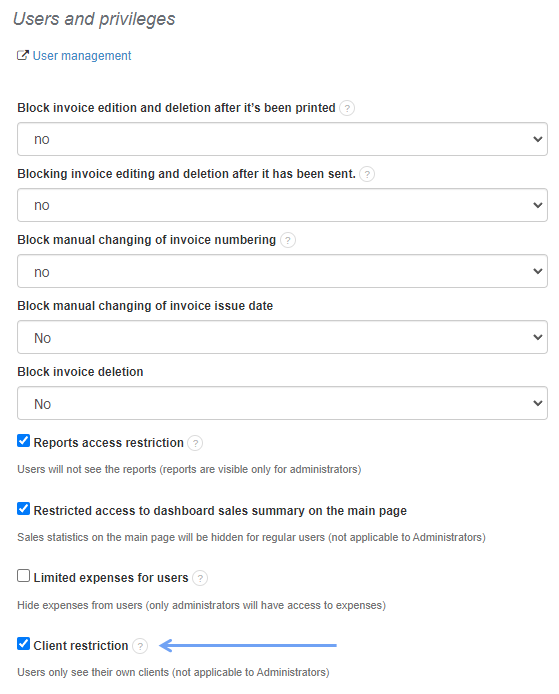
- go to Settings> Account Settings> Configuration> Users and privileges
- select the Client restriction checkbox
- press the Save button
- go to the Clients tab
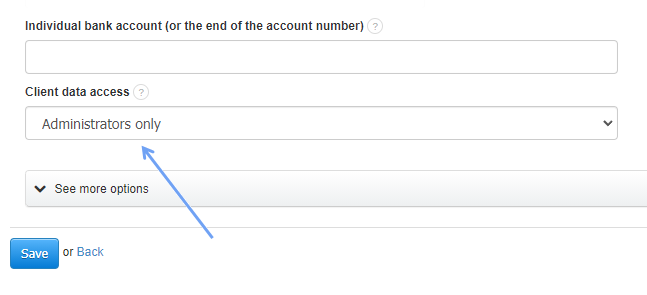
- select the appropriate client and use the button with a gear wheel symbol and press the Edit button
- under Client data access, select the appropriate department in which the client is to be displayed
- press the Save button