Thanks to InvoiceOcean, you can easily create an accounting document consisting of several non-accounting documents.
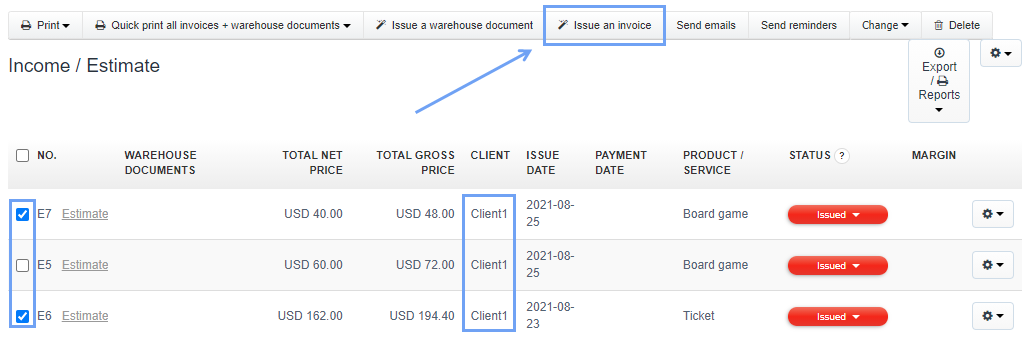
To do this, go to the tab Income/Invoices> Proforma Invoice/Estimate, then select the checkboxes next to the selected non-accounting documents for the given Client.
You can see that after checking the checkboxes next to the estimates, a pop-up menu appears from which we can choose the option Issue an invoice.
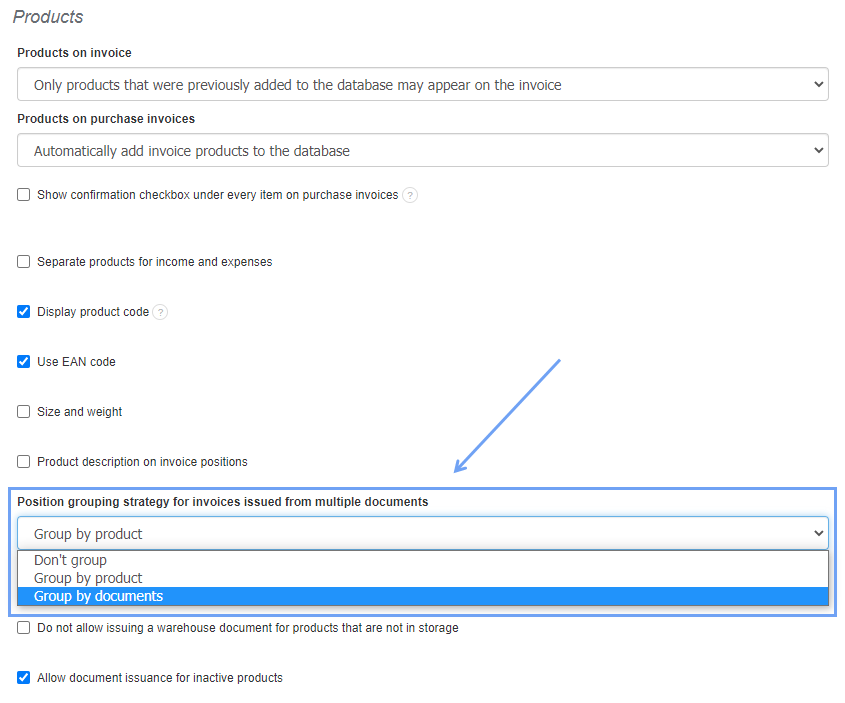
The data grouping scheme on such an invoice depends on the data grouping option we know from creating an invoice to several warehouse documents.
Grouping is a universal function for invoices and warehouse documents. The option can be found in Settings> Account settings> Configuration> Products> Position grouping strategy for invoices issued from multiple documents.
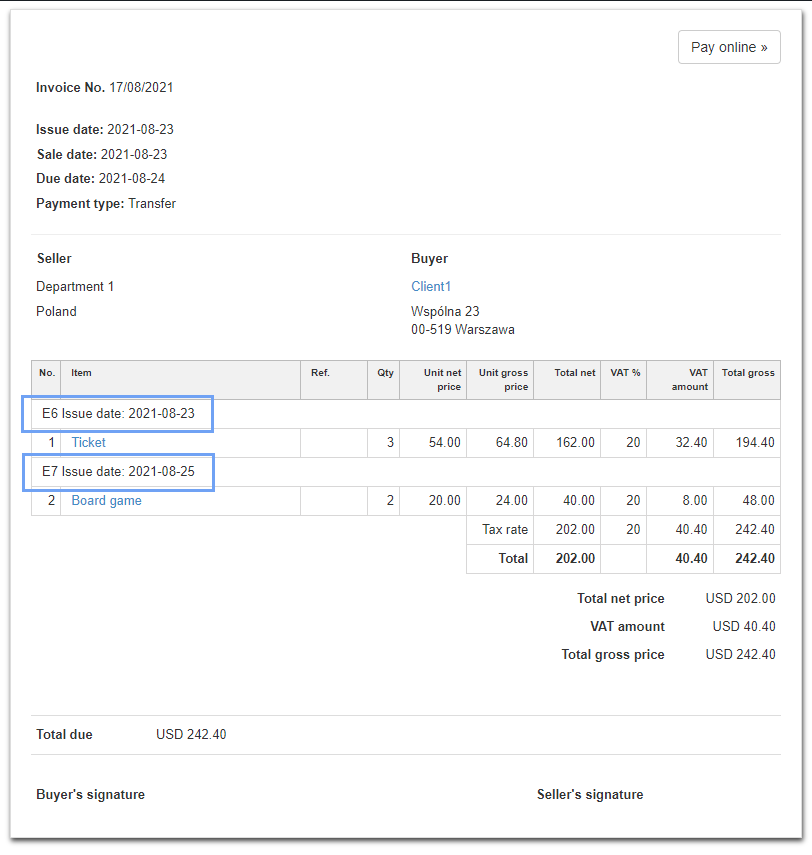
An invoice issued from multiple Proformas/Estimates looks like this:
In the invoice showed above, you can see that the products are grouped by specific non-accounting documents - document numbers and issue dates are provided.
Note:
You won’t be able to generate such invoice if:
- an invoice has already been issued for one or more of the selected non-accounting documents - using either the Create an invoice or Convert to invoice options;
- a prepayment invoice is linked to one of the estimates using the Create Prepayment Invoice option;
- a warehouse document is issued to one of the non-accounting documents.
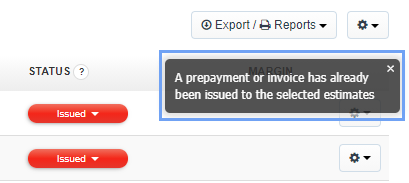
If any of the above occurs a message is displayed: