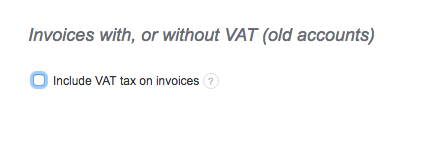
When issuing invoices with no tax you can hide the tax column by selecting "do not display". If you are issuing receipts you may hide the tax column permanently in Settings > Account settings.
Unfortunately, I couldn't find an answer to this question.
Unfortunately, I couldn't find an answer to this question.
Describe please your problem and what you want to achieve and we will try to help you with your account configuration.
Please, You are really making me a great profit here but the invoice are being process for collection but ido not sure you website is done let me know more on unit net price .I am following you really.Thank you. MUSA TAOFIK
Describe please your problem and what you want to achieve and we will try to help you with your account configuration.
please help include VAT 10%
Dear Sir,
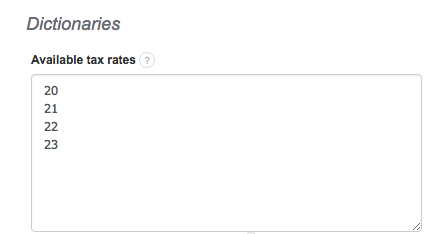
to include “VAT 10 %” in your invoice, you have to click on: Settings>Account settings>Configuration>Invoices and documents>Dictionaries>Available tax rates>-add your own tax rate, in this case mentioned “10”>Save
After that you should have this rate ready to use on your invoice.
In case of any problems, please do not hesitate to contact us.
PLS INCLUDE 5%
Hello,
I would like to kindly inform that we do not have access to client’s accounts regarding adding any sort of data.
Please use track to said option mention in previous email.
Kind regards,
I NEED TO ADD 15% VAT IN A RIGHT COLUMN AND I NEED TO NAME MY VAT AND MY TOTAL VAT COLUMN AND NOT NAMING IT WITH MY ACTUAL VAT NUMBER
Hello,
please clarify your problem. When issuing an invoice, you can choose “more” in the VAT field and input 15. As per instructions in this article, in account settings you can also add such tax rate to be available by default to choose from a list when issuing invoices.
You can change the name of the tax in Settings -> Account settings -> Configuration, in the “Tax name” field.
Best regards,
Kacper
Please include a option for a posssibility to lock Tax Rate for some users, so they can’t change the tax rate if specified by the admin, it stays locked for them, the drop down menu is disabled.
Hello,
thank you for the suggestion. Currently there is no such option and we do not plan on adding it in the near future. We will inform you if such user privilege is eventually added in the system.
Best regards,
Kacper