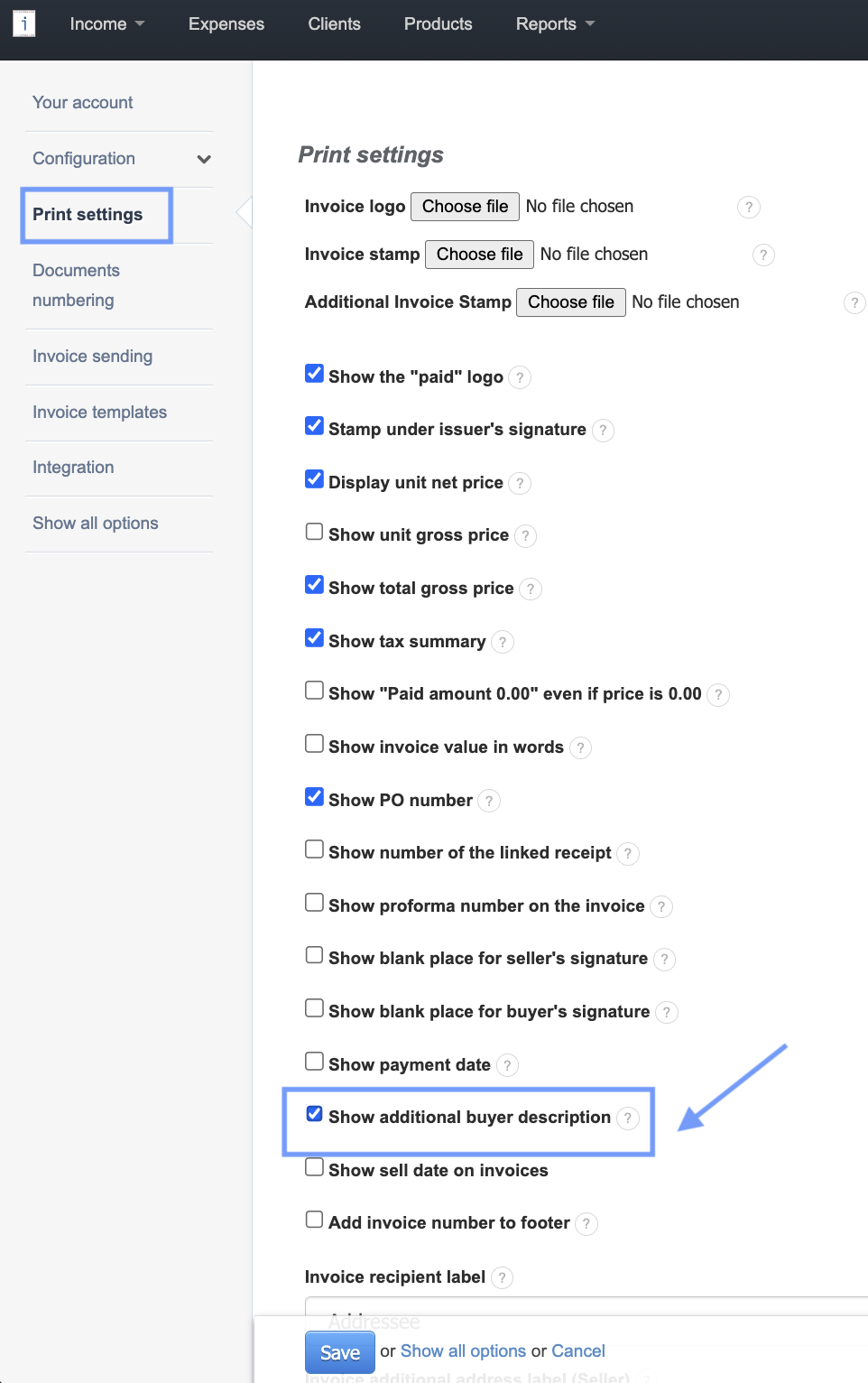
Settings > Account settings > Print settings. Check the box Show additional buyer description and press Save.
The additional description will be displayed in all the available templates
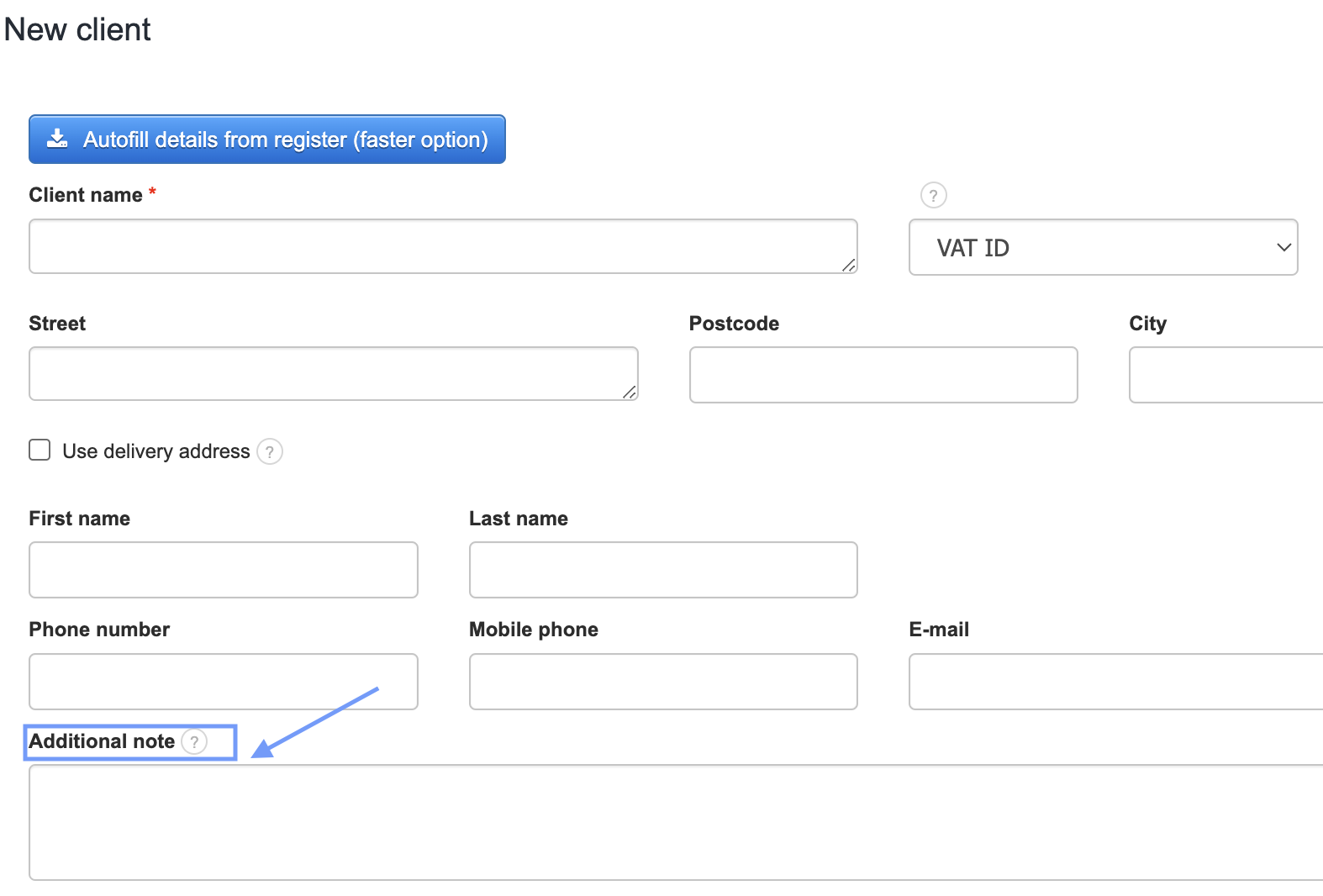
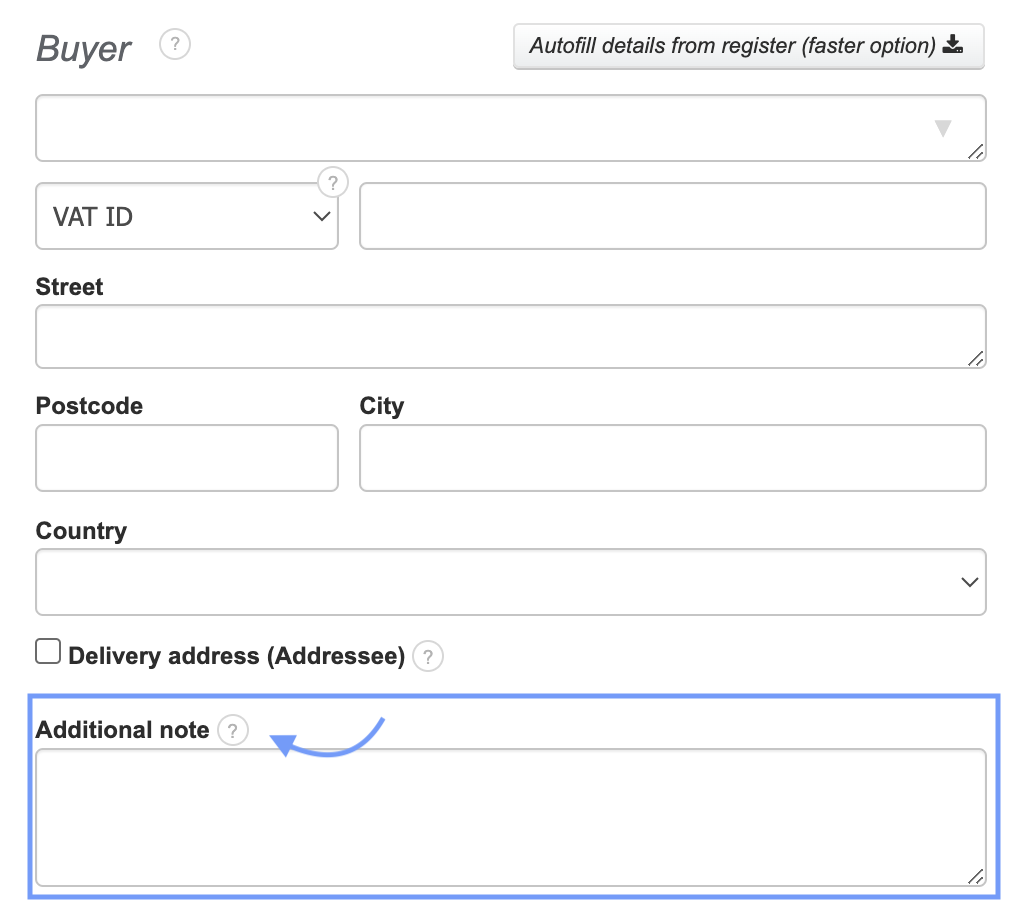
In this field, you can add any information you need: any comments, information about the delivery method, or any other necessary information.
Warning! Selecting the Additional buyer description field in the print settings will show the information placed in the field Additional note that can be added in the Client's card or in the Buyer's Additional note field.