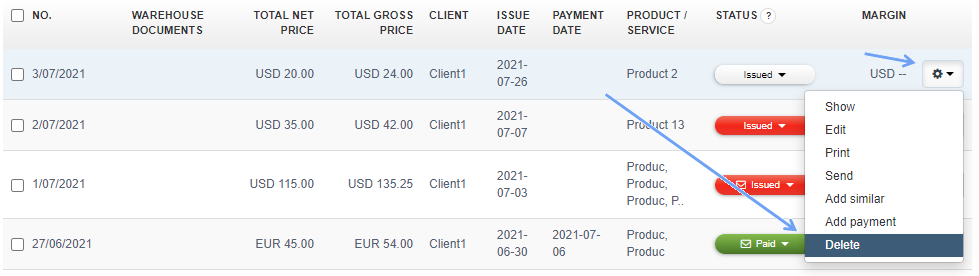
To delete an invoice, in the invoice list, next to the invoice you want to delete, click on the button with a cogwheel icon on the right and press Delete.
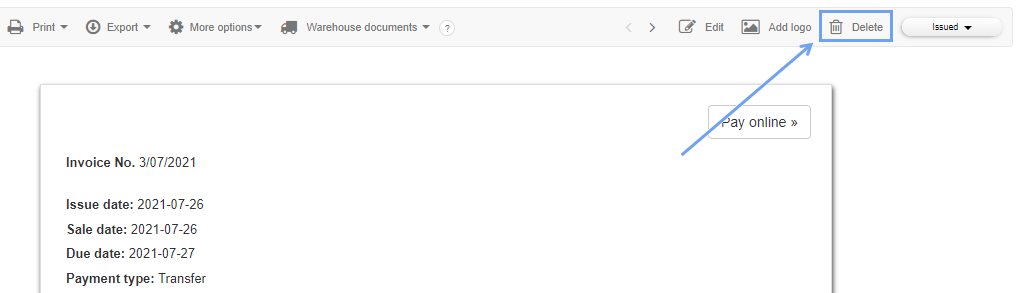
Alternatively, you can click on the number of the selected invoice in the list and in the preview of that invoice in the upper right corner you will find a Delete button.
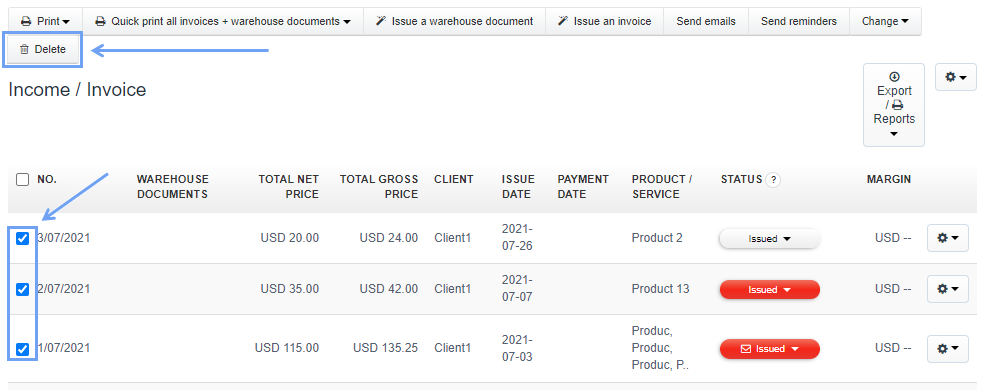
You can also delete several invoices at once. Just check the box next to several invoices and click Delete at the top.
Searching for an answer...
AI Answer
Sources
Was this answer helpful?
Unfortunately, I couldn't find an answer to this question.