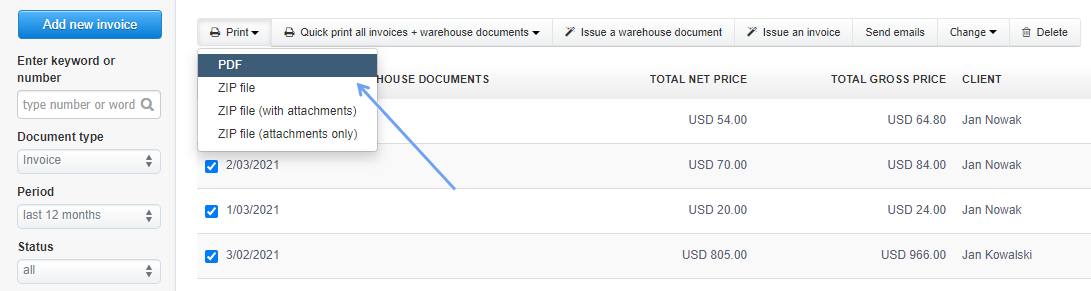
To print multiple invoices, go to Income> All (or select a group of documents you want), select chosen documents via checkboxes and then click Print> PDF.
This way a pdf file will be generated, from which you can print or forward invoices, e.g. to the accountant.
This option is also available for other documents issued in the system, e.g. those that can be found in the Expenses tab.
Searching for an answer...
AI Answer
Sources
Was this answer helpful?
Unfortunately, I couldn't find an answer to this question.