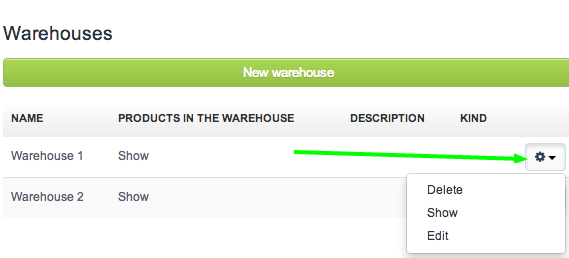
If you want to delete a warehouse from your InvoiceOcean account, go to Warehouse > Warehouses, click on the settings icon and then click Delete.
Note: Warehouse will be deleted only if all warehouse-related operations are deleted first.
Unfortunately, I couldn't find an answer to this question.
Unfortunately, I couldn't find an answer to this question.
If you want to delete a warehouse from your InvoiceOcean account, go to Warehouse > Warehouses, click on the settings icon and then click Delete.
Note: Warehouse will be deleted only if all warehouse-related operations are deleted first.