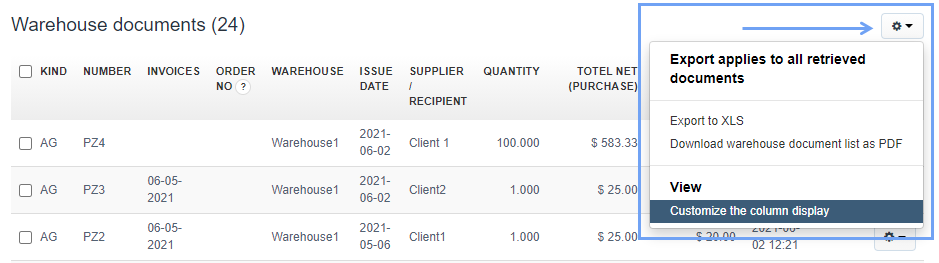
To customize the display of columns in the list of warehouse documents, go to the tab Warehouse> Warehouse documents, then select the menu button located in the upper right corner in the form of a cogwheel icon and choose the option Customize the column display.
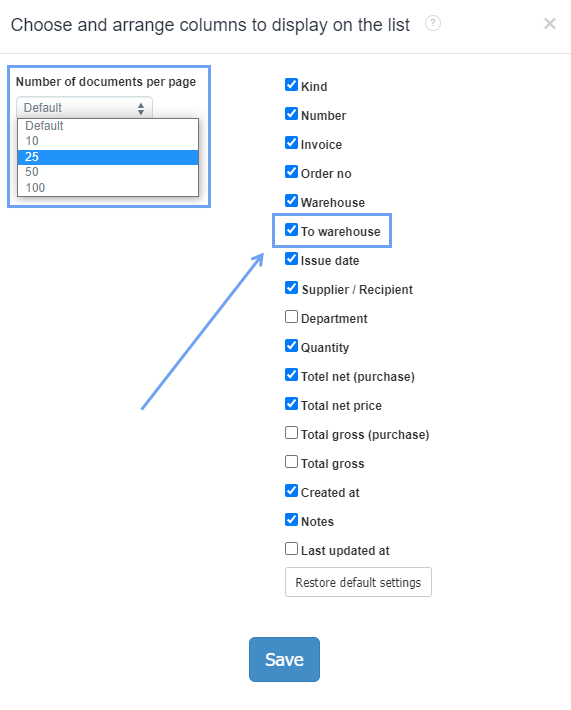
The program will show a window in which you can select the number of documents per page (Default, 10, 25, 50, 100) and adjust the columns to be displayed in the list of warehouse documents. Save the changes with the Save button.
The latest column that has been added is the To warehouse column, which contains information about the warehouse, to which the product quantity has been transferred in the case of a Transfers between warehouses (TW).
In the system you can also customize the appearance of the product lists.