An offer in InvoiceOcean.com can be created in 3 ways:
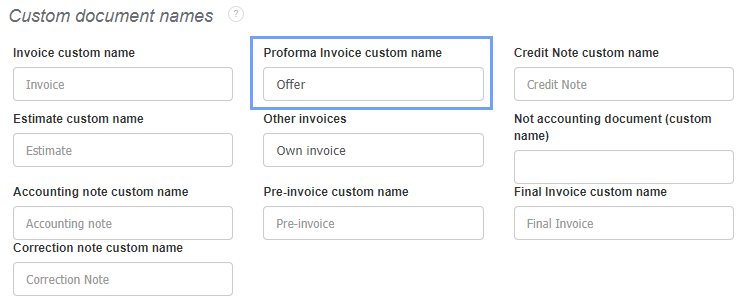
1) Create an offer as a proforma invoice by changing its name to Offer.
Go to Settings> Account settings> Print settings and enter the desired name under Custom document names by Proforma Invoice custom name and then save the changes at the bottom of the page;
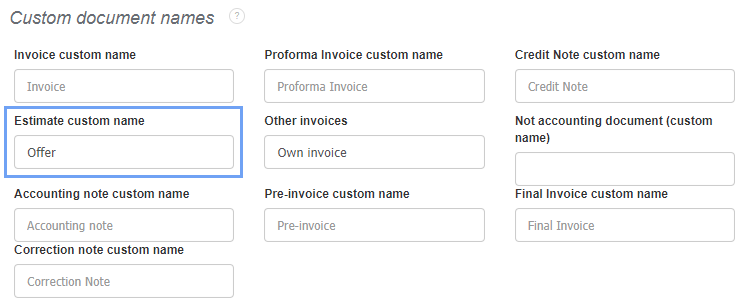
2) Create an offer as an Estimate by renaming it to Offer.
Go to Settings> Account Settings> Print settings and enter the desired name under Custom document names next to Estimate custom name, and then save the changes at the bottom of the page;
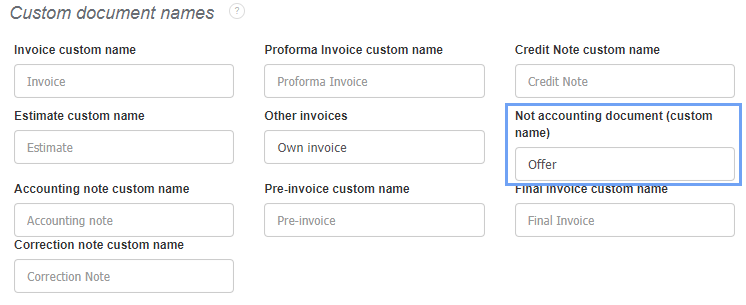
3) Create an offer as Not accounting document by renaming it to Offer.
Go to Settings> Account Settings> Print settings and enter the desired name under Custom document names next to Not accounting document (custom name), and then save the changes at the bottom of the page.