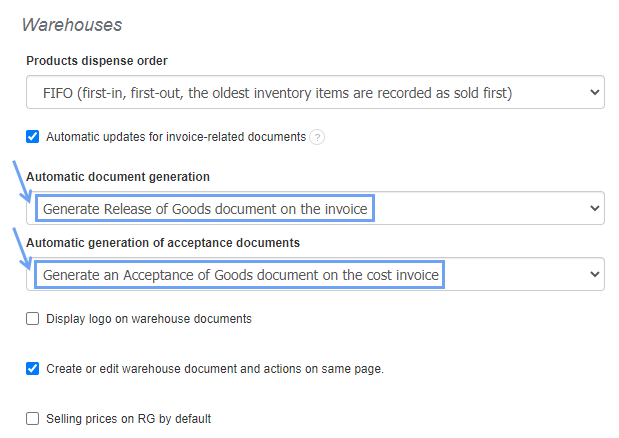
To activate this function, go to Settings> Account settings> Configuration> Warehouses.
In the Automatic document generation and Automatic generation of acceptance documents sections, select:
- Generate Release of Goods document on the invoice,
- Generate an Acceptance of Goods document on the cost invoice.
After saving the changes, issuing warehouse documents to invoices will be automated.
Searching for an answer...
AI Answer
Sources
Was this answer helpful?
Unfortunately, I couldn't find an answer to this question.