The Reverse charge is the mechanism by which the VAT settlement obligation is transferred from the seller to the buyer.
The most common solution is not showing the column with the VAT rate and value on the document.
Therefore, the Users of the system ask for the ready-made document type of invoices - Reverse Charge.
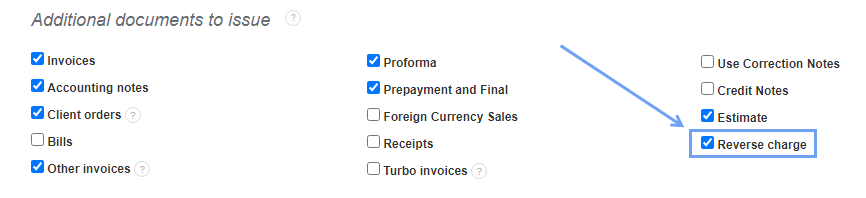
If you want to use this type of document, go to Settings> Account settings> Your account and in the heading Additional documents to issue select the Reverse charge box.
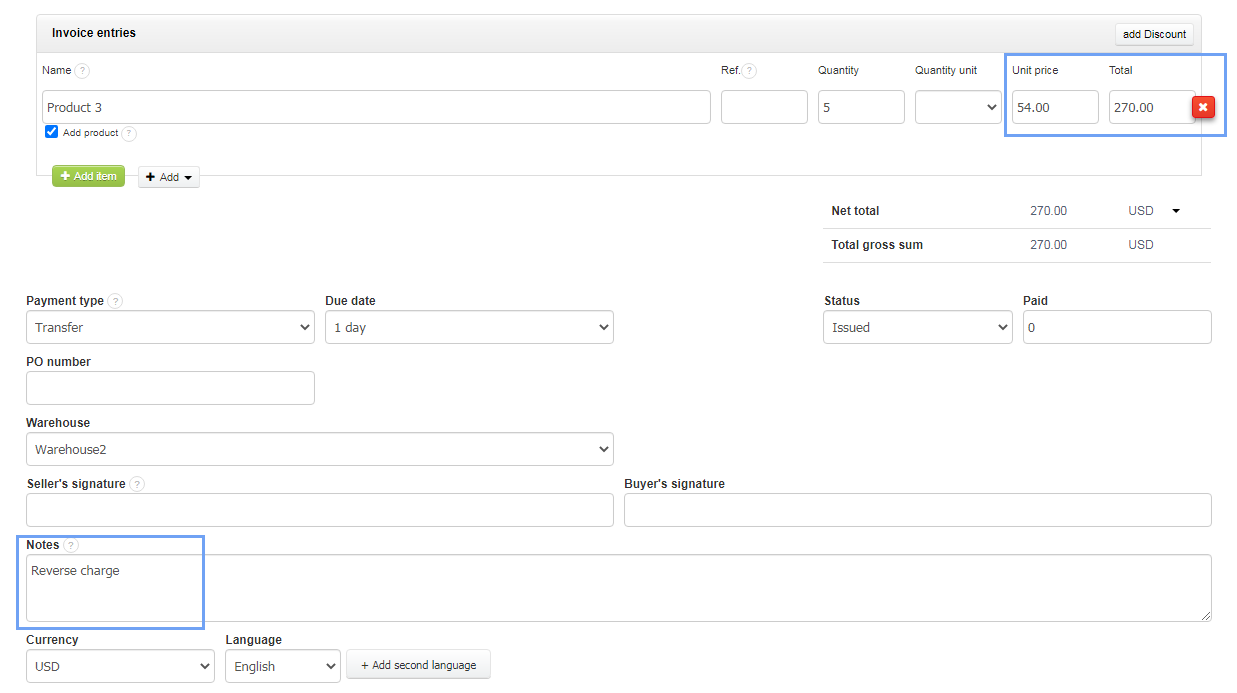
When generating this type of document, the program will already have the adjusted tax rate and an appropriate entry in the Notes.
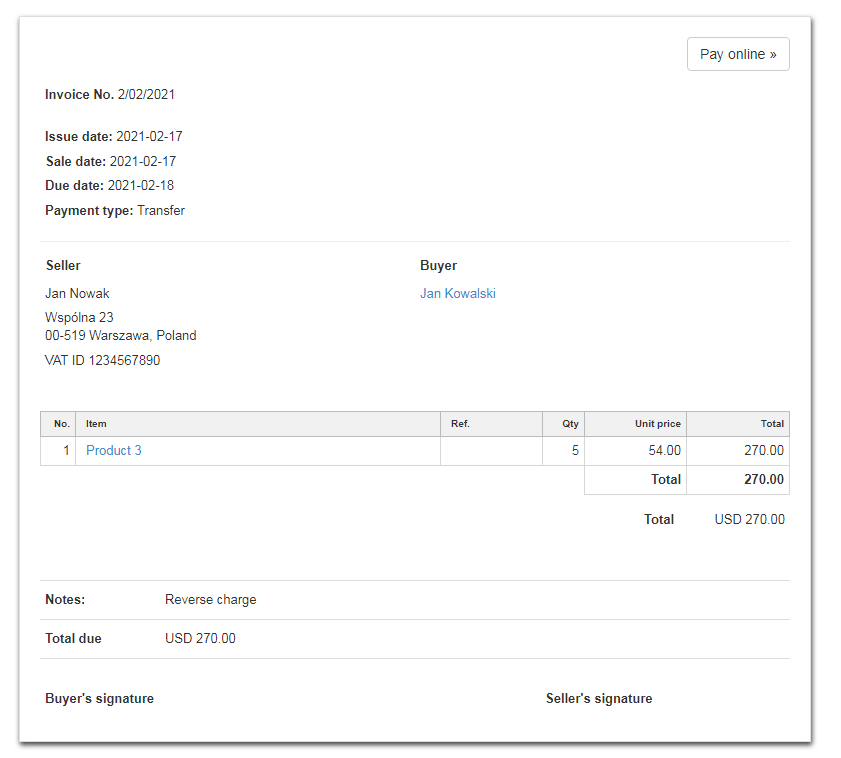
After saving, the Reverse Charge invoice looks as follows: