It often happens that an invoice issued previously is paid by the customer in instalments. In the invoice, we can mark it as partially paid.
A partially paid invoice is a document for which the customer has paid only part of the amount due. This feature is particularly useful for instalment payments, as the system automatically calculates the outstanding amount. Depending on whether the invoice has already been sent to the customer, you can use one of the three available methods to record a partial payment.
Method 1: Enter the amount paid in the document
Use this method if the invoice has not yet been sent to the customer.
- Open the invoice preview and click Edit.
- Below the section containing the invoice line items, find the Paid instalment field and enter the amount actually paid by the customer.
- Confirm the changes by clicking Save.
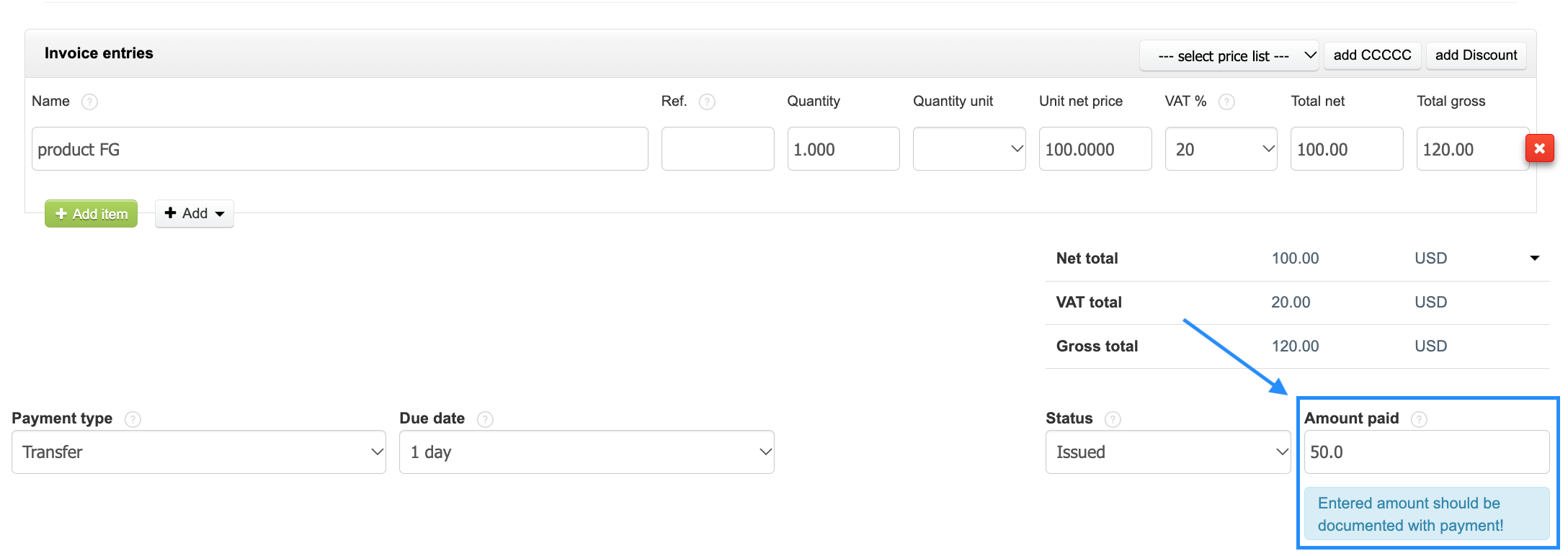
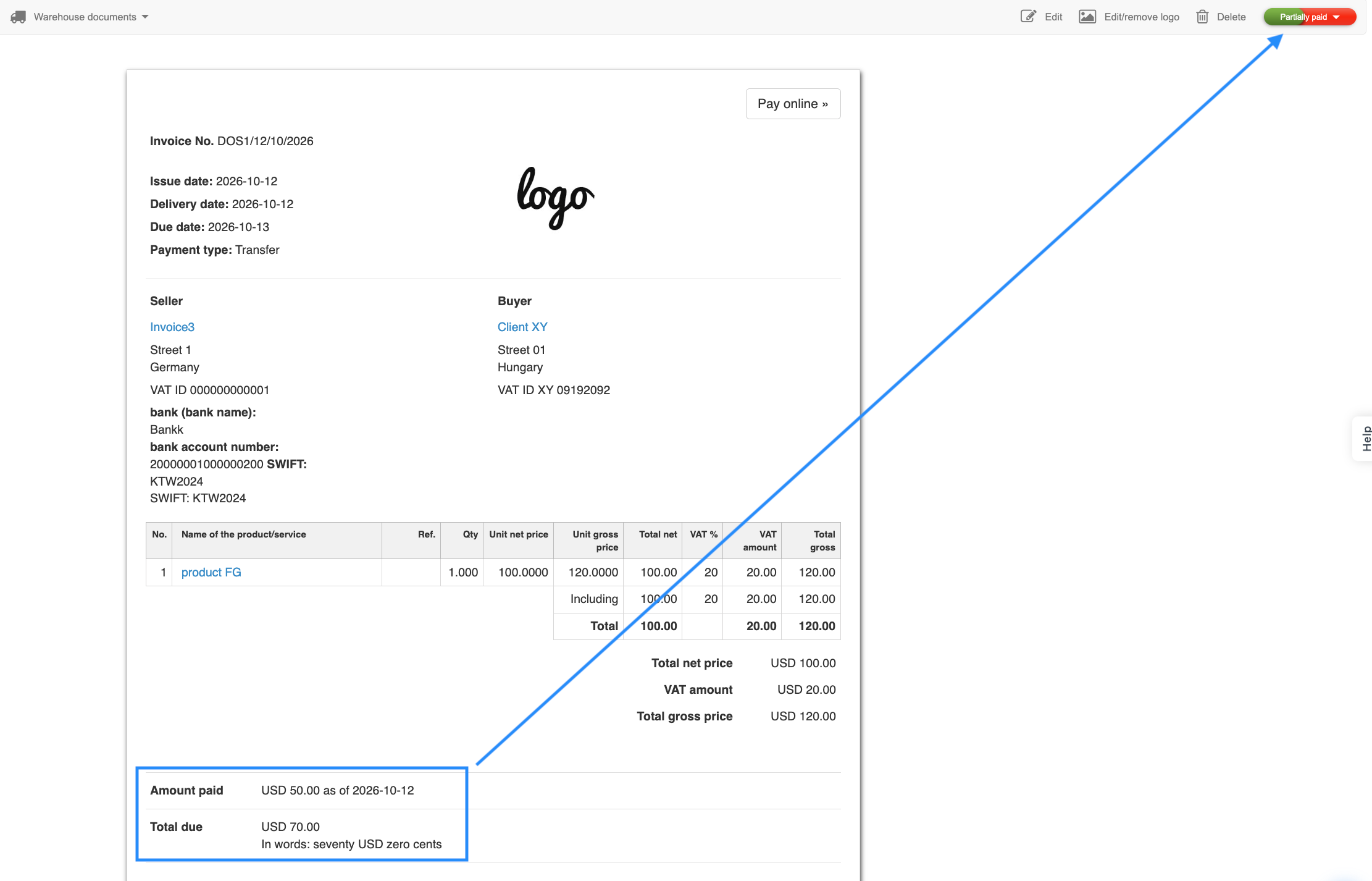
After saving, the following will appear in the invoice preview and printed version:
- The Amount paid line: [amount], along with the payment date if the Insert the payment date option is enabled in the form, and the updated Total due, together with the amount written out in words.
- The PAID stamp will not appear. It is displayed only when the invoice has been paid in full and the show “paid” logo option is enabled in the print settings.
Method 2: Assign a payment to an invoice
Use this method if you want to link a payment to an invoice, retain access to the list of payments, and avoid changing the appearance of an invoice that has already been sent to the customer. After assigning the payment, the system will automatically update the document status to Partially paid or Paid, depending on the amount paid.
To assign a payment to an invoice:
- Open the invoice preview.
- In the context menu above the document, select More options > Add payment.
-
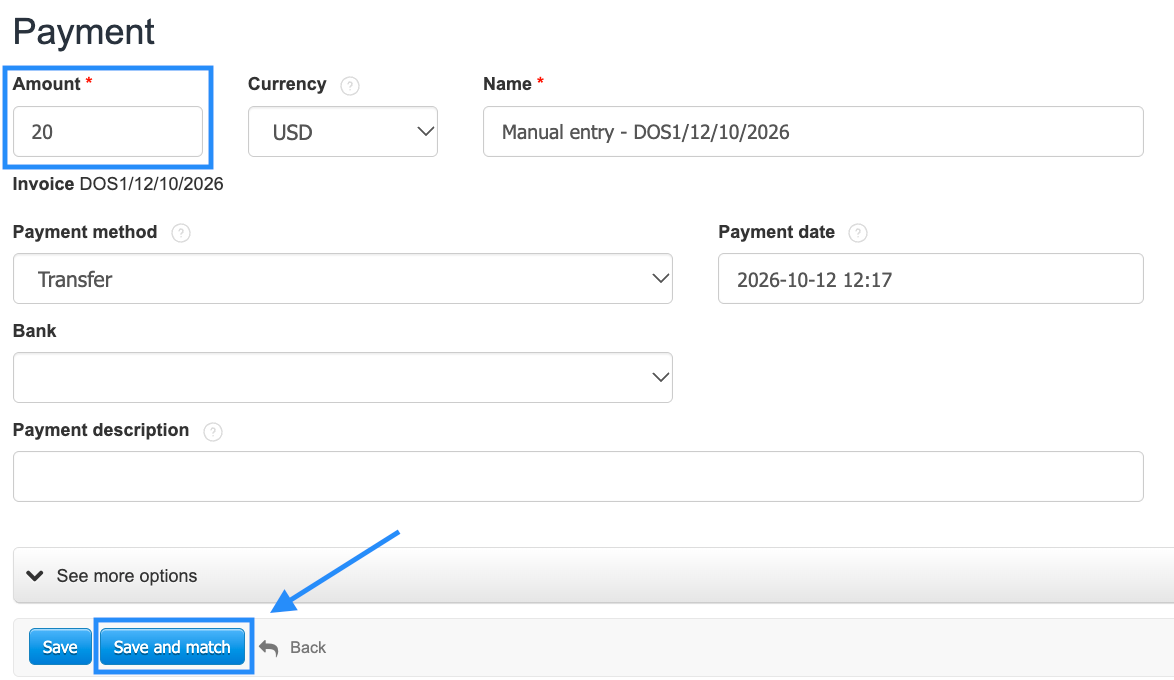
In the Amount field, the system will display the total invoice amount by default. Change it to match the amount received and complete the remaining fields.
- Confirm the creation of the payment and its assignment to the invoice by clicking Save and match.
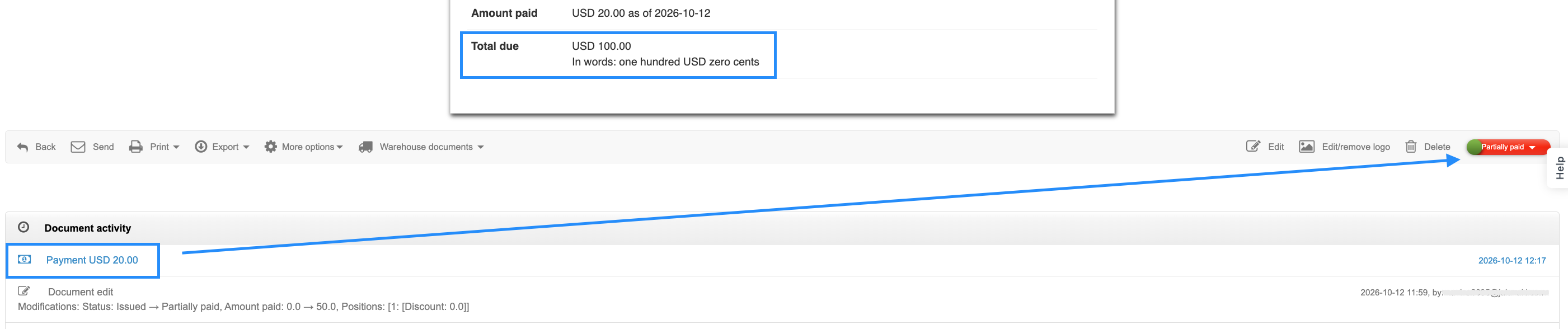
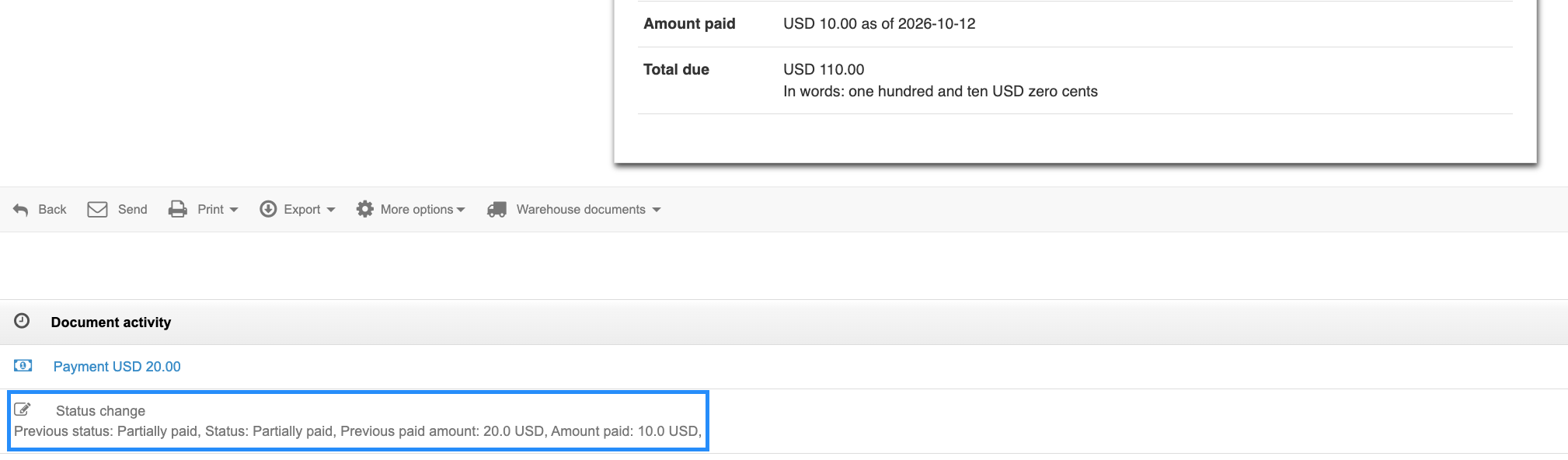
After the payment is assigned, the system will automatically update the invoice status. The appearance of the document will not change: information about the payment assignment is saved in the available Document activity.
Method 3: Change only the invoice status
Use this method if the invoice has already been sent to the customer and you don't want to modify its content.
- Go to the invoice list or open the invoice preview.
- Click the current invoice status and select Partially paid.
-
In the window that appears, enter the amount paid so far and confirm the change.
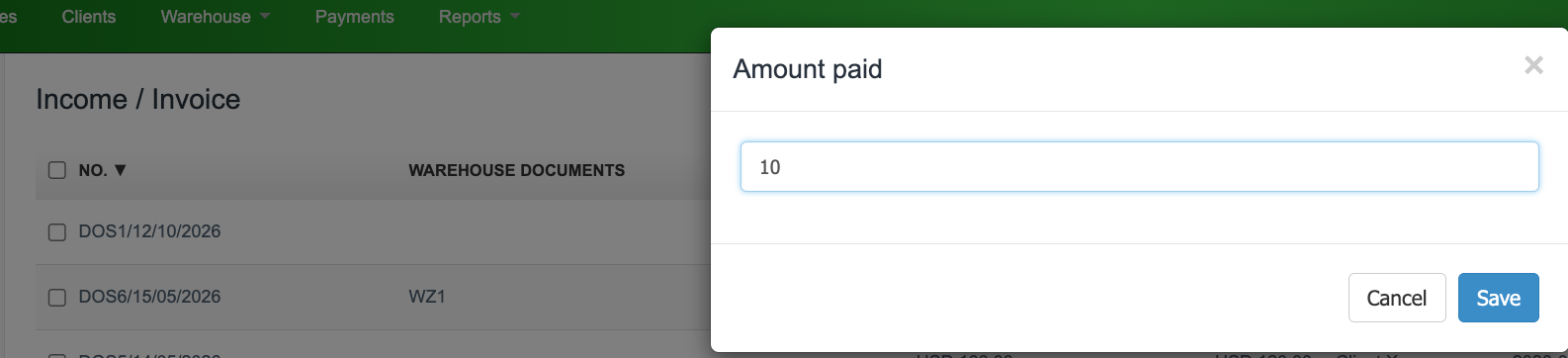
The appearance of the document does not change; only the status recorded in the system changes. Each status change is recorded in the Document activity.
Which method should you choose?
The choice depends on whether the invoice has already been sent to the customer. If it hasn't been sent yet, you can enter the amount paid directly in the document (method 1) if you want the document to show the amount that has already been paid. The system will automatically update the Outstanding amount.
If the invoice has already been sent, use method 2 or 3 and change only the status, without worrying about the invoice preview looking different from the original document received by the customer.