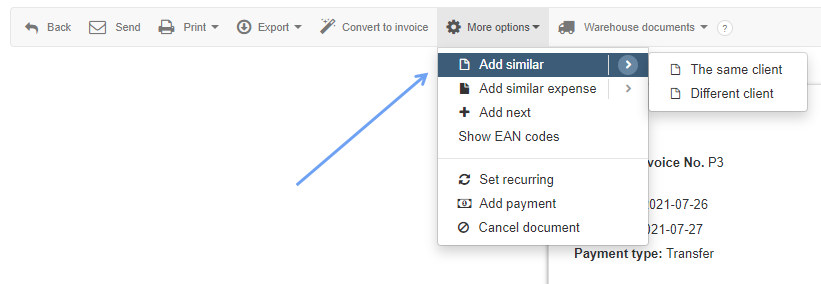
First, you need to create a Prepayment invoice from a Proforma invoice (using the Add similar button in the top menu of the invoice preview). CLICK SAVE.
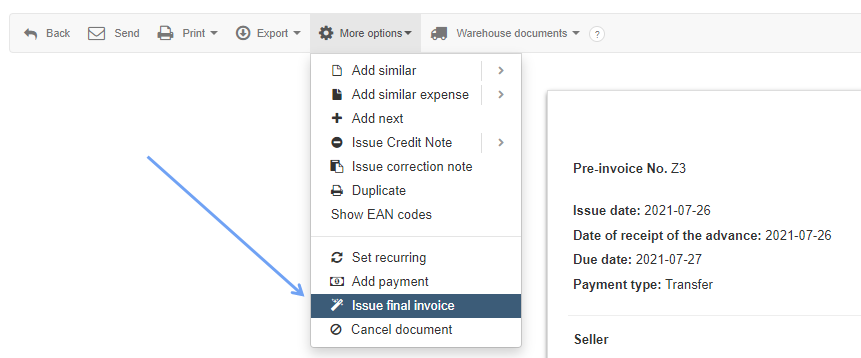
Then, from this Prepayment invoice, you have to create a Final invoice (using the Issue final invoice button in the upper menu of the invoice preview). CLICK SAVE.
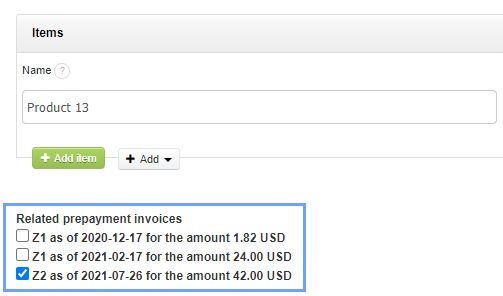
When issuing a Final invoice, you can associate it with multiple prepayment invoices (under the invoice items, a list of available prepayment invoices will appear, which you can select).
A similar issue can be found here - How to issue a Pre-invoice based on a Proforma invoice and link both documents