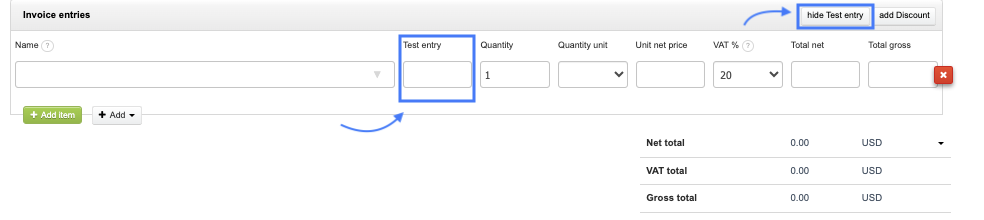
The system allows adding a new entry on invoice items, thus customizing the form's appearance to suit your business needs. In this article, you will learn where in the system to change the name of this entry or set your own content. Furthermore, within the account settings, you can choose whether the additional entry will always be visible on the form or only if you decide to add it.
Additional entry on the invoice items - always include
To set the content of the additional entry on the invoice items:
- Go to Settings > Account settings > Configuration > Invoices and documents,
- Find the section Additional entry on the invoice,
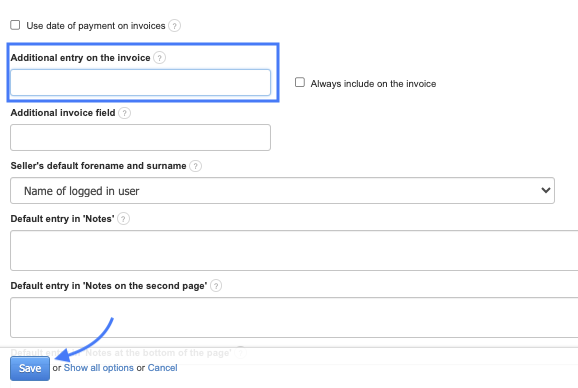
3. After, you can enter your own content,
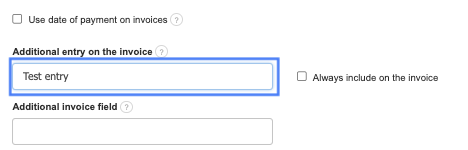
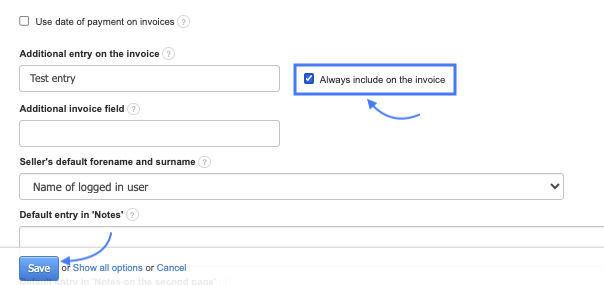
5. Confirm the changes with the Save button at the bottom of the page.
After activating the Always include on the invoice option, an additional entry on the invoice items will appear each time on the document creation form. You can also remove the added field from the invoice item if it is not needed for a specific document. To do this, click the Hide button (with the name of the additional entry). It will be removed from the form.