Reminders about unpaid invoices from clients can be sent manually or configured to be automatically sent by the system.
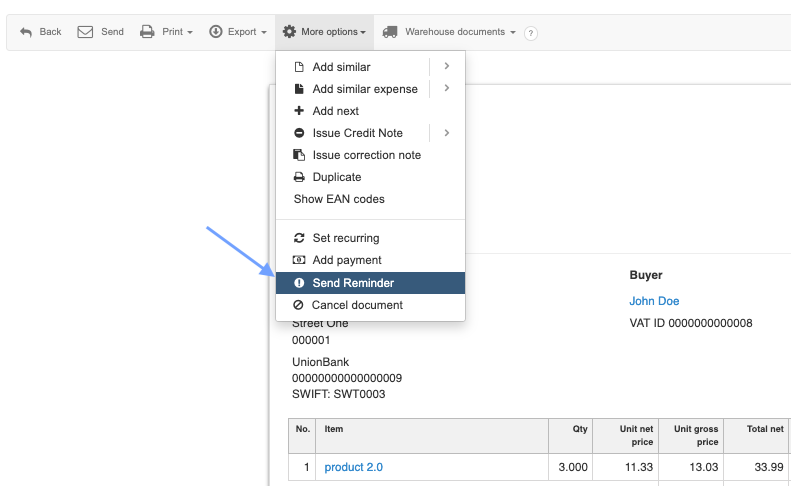
A reminder can be manually sent from the preview of a specific invoice (see the screenshot below)
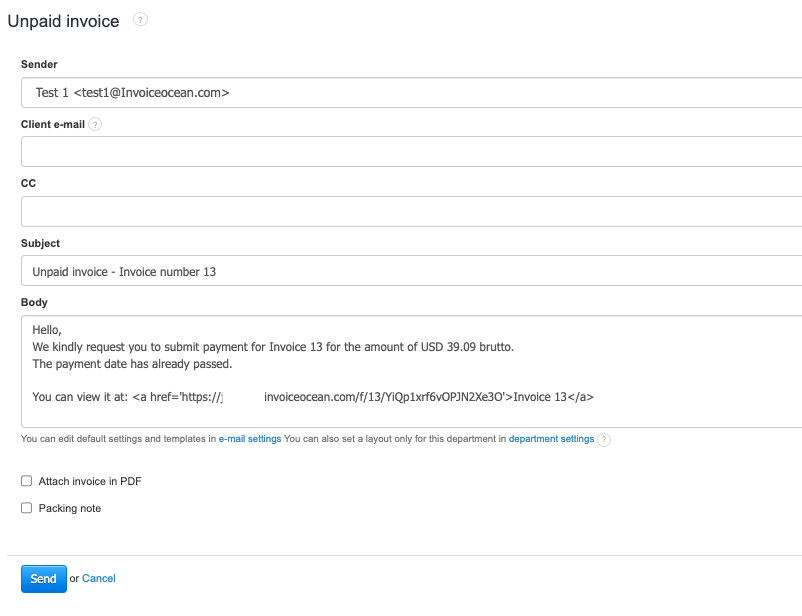
The payment reminder message can be edited for a specific case or globally for the entire system.
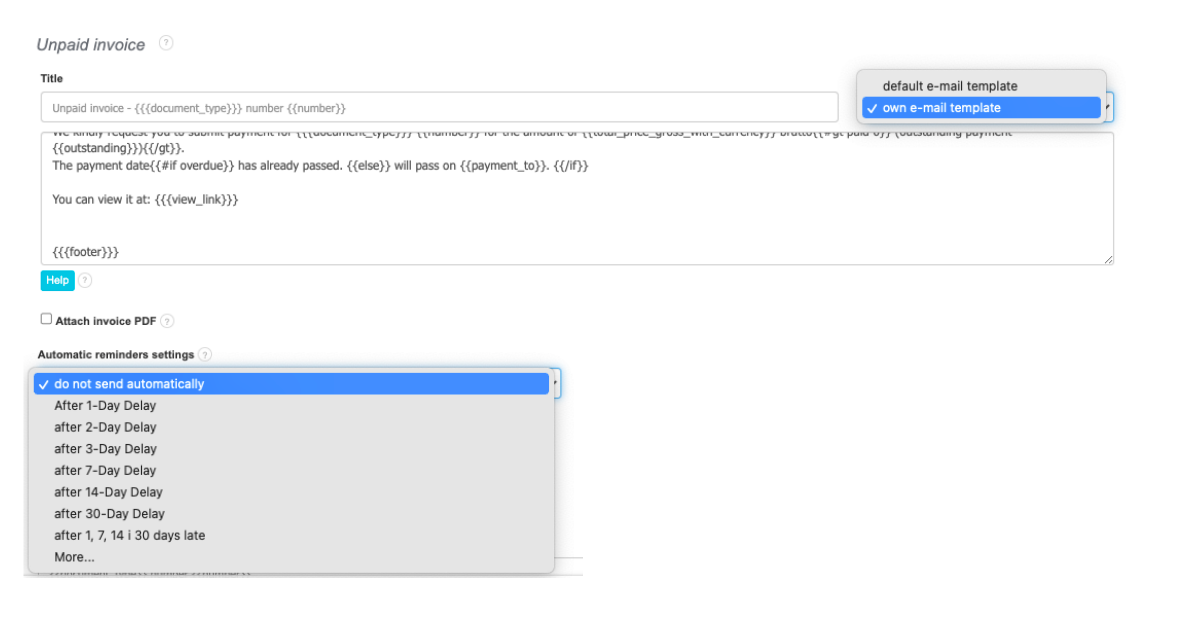
There is a possibility of making any modifications to the template that is being sent. Editing the template can be found in Settings > Account Settings > Invoice sending.
It is also possible to set up automatic sending of messages after a specified period from the due date of a particular invoice.