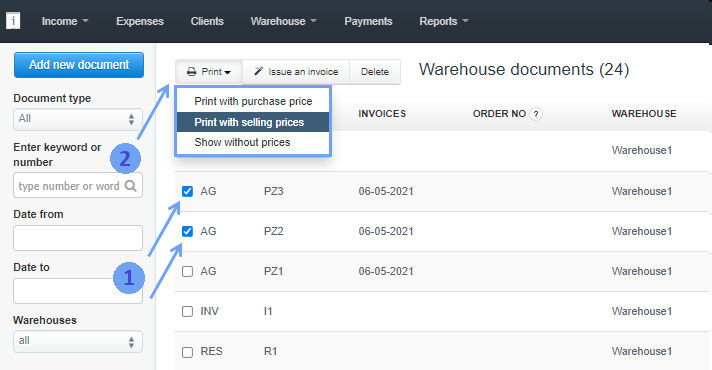
To do this, go to Warehouse> Warehouse documents, select several stock documents (1). A pop-up menu will then appear from which you can select Print> Print with purchase price/Print with selling prices (2).
The program will open in a new tab the consolidated view of the documents to be printed and the active Print and Print without price buttons.