The options available within the account in InvoiceOcean allow you to customize the appearance of the printout for the created document according to your needs and preferences. Within the print settings, you can determine whether the system should show the total gross price for each item on the invoice or as a separate table with the total gross price. This post will guide you on where to adjust the invoice printout in terms of this parameter. By default, this option is enabled in the system.
Where to configure the Display of the Total Gross price option?
To customize the invoice printout regarding the display of the total gross price:
- Go to the Settings > Account Settings > Print settings.
- Check or uncheck the checkbox next to the Show total gross price option.
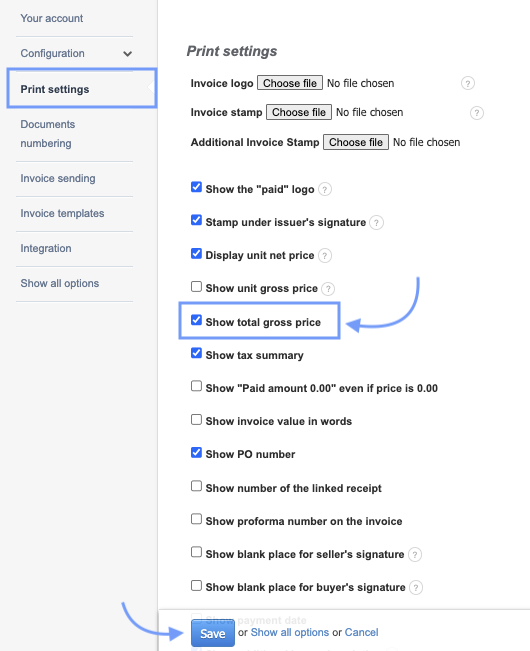
3. Confirm the changes by clicking Save at the bottom of the page.
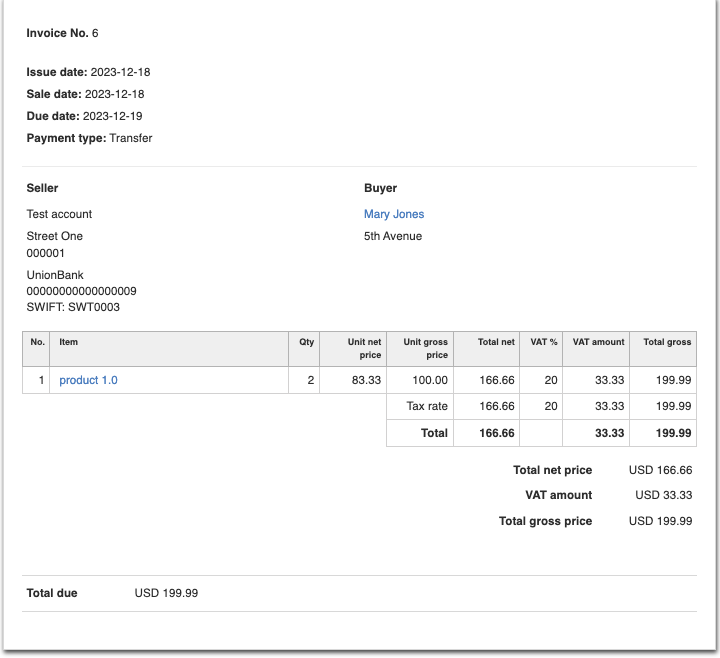
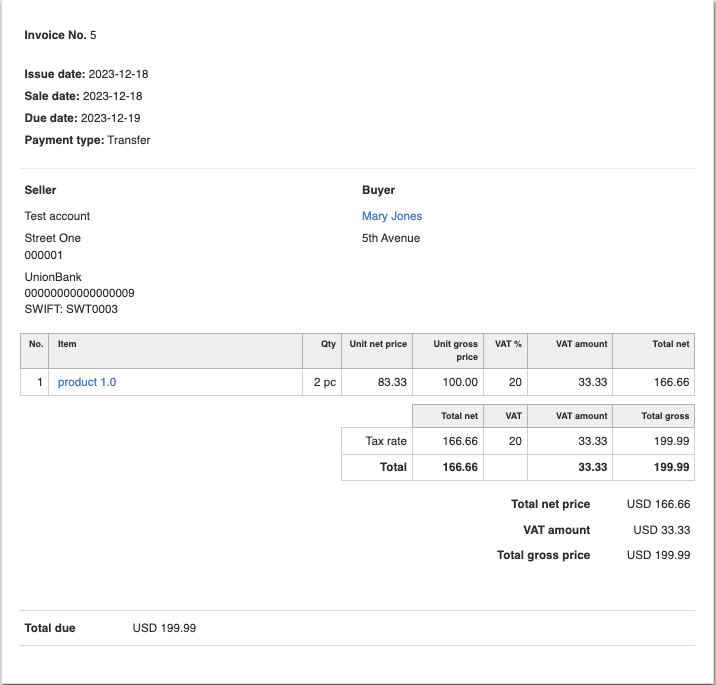
Documents issued in the system with the Show total gross price option active or deactivated will differ in appearance. As an example, we show the same invoice to illustrate the difference.
Invoice printout with the Show total gross price option enabled
Invoice printout with the Show total gross price option disabled
Also, check:
How to permanently add the gross unit price to the invoice printout?
How to permanently add the net unit price to the invoice printout?