Our system gives you the option to send documents by email with predefined content. Sometimes, users prefer to define the content of the message themselves. For them, there is an option to set up a custom email template.
To do this:
- Go to the menu Settings > Account Settings > Invoice sending > Sending an invoice by email
- Change the option "default e-mail template" to "own e-mail template" in the Email template kind section
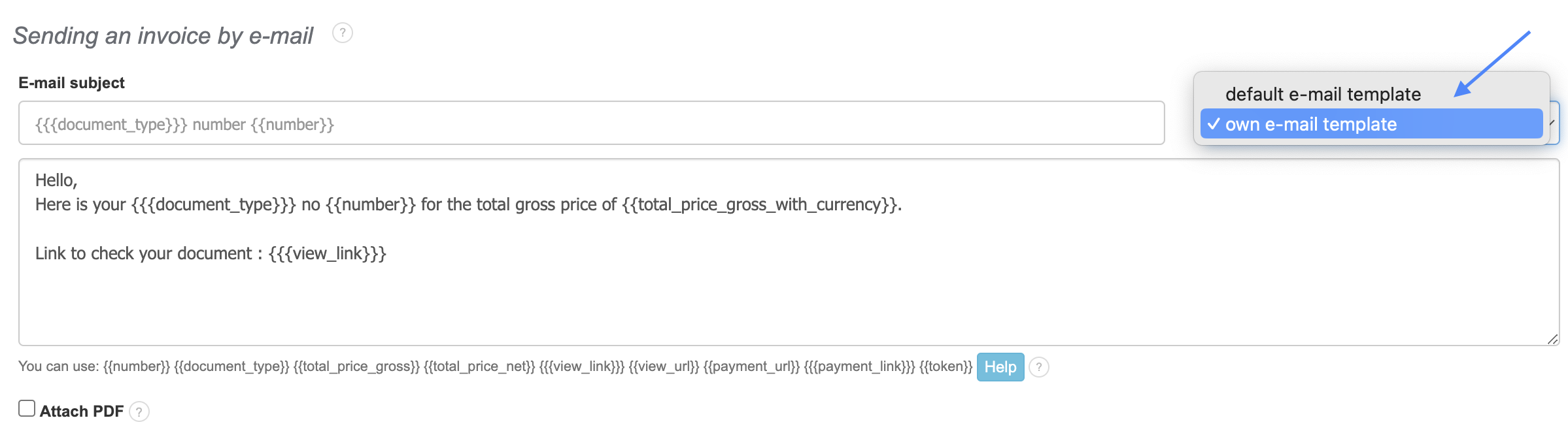
- Edit the message content at your discretion,
- Save the changes.
From now on, every email sent to your clients will have the same content set by you.