}
@media all{
table th,
.invoice_outline table th,
strong,
.invoice_outline strong {
color: #DF0101;
}After saving the changes, the invoice in the Blue template looks as follows:
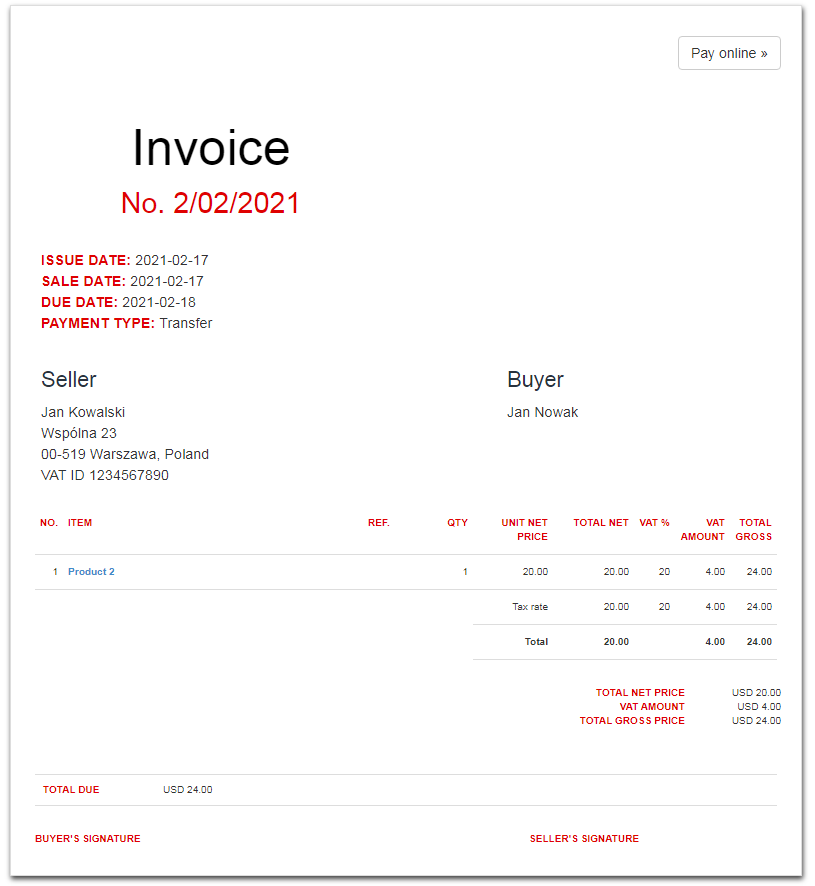
In the above CSS code we used the so-called hexadecimal code of the red color, i.e #DF0101.
You can use a different color in this CSS code in the form of a hexadecimal code. The primary color codes are listed here:
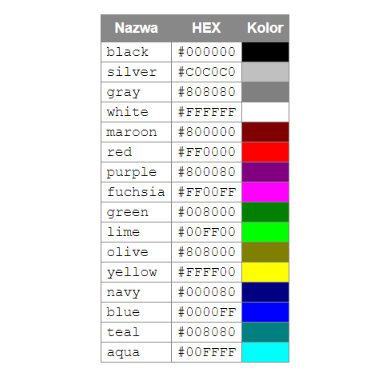
Codes of other colors are available online, just enter “hexadecimal color codes” in the search engine.