Note! Please remember that the following changes are visible only on the printout or in the PDF generated from the system.
To change an element of the invoice on the printout, e.g. original/copy caption, go to the Settings> Account settings> Print settings menu, and then at the bottom of the page fill in the field Customize print with CSS (according to the diagram below).
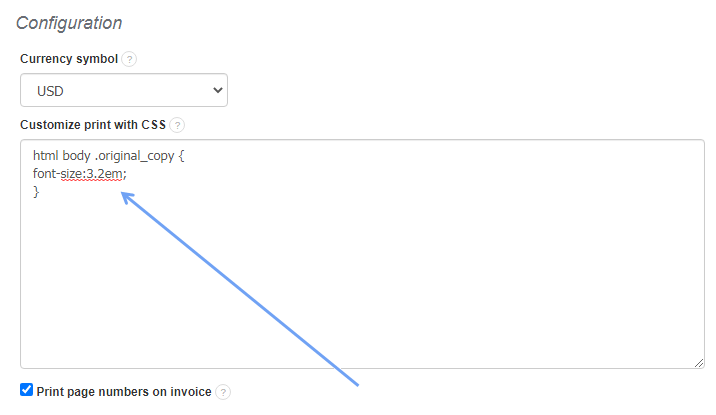
Changing the size of the text original/copy
Using the above CSS code, adjust the em value as desired (1em, 1.2 em, 1.5em etc.) or px (12px, 13px, 14px etc.) depending on the font size you want to achieve, for example:
html body .original_copy {     font size:3.2em; }

html body .original_copy {     font size:2.2em; }

html body .original_copy {     font size:12px; }
Note! To make sure the CSS code works properly, please rewrite it manually, do not copy it.