In the system, there is the option to add a different correspondence address or additional issuer details under the seller's information.
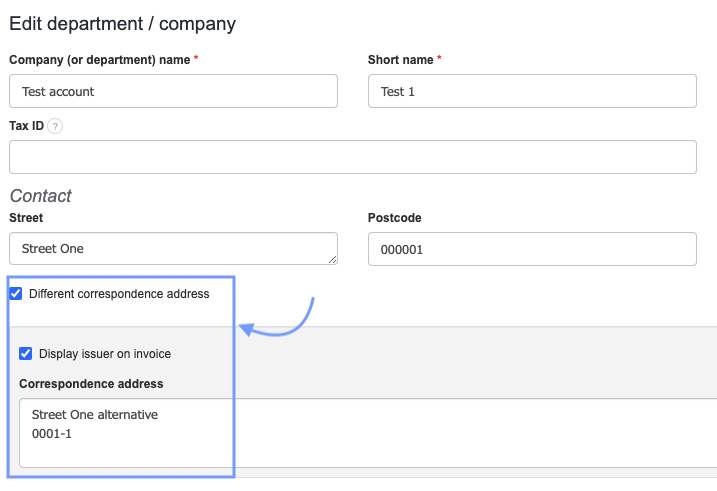
To define the details to be displayed under the issuer on the invoice, go to Settings > Company/department, edit the selected company or department, and choose the field Different correspondence address. Then enter the data into the displayed field. We can also define whether the details will be private or displayed on the invoice by checking the box Display issuer on the invoice.
Lastly, define the name under which the information will be displayed on the invoice.
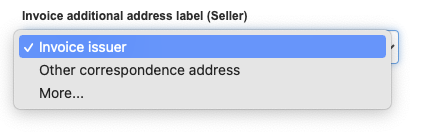
To do this, go to Settings > Account settings > Print settings and select from the options in the field Invoice additional address label (Seller)
You can chose from the options: Invoice issuer, other correspondence address and can also create a custom name by selecting More.
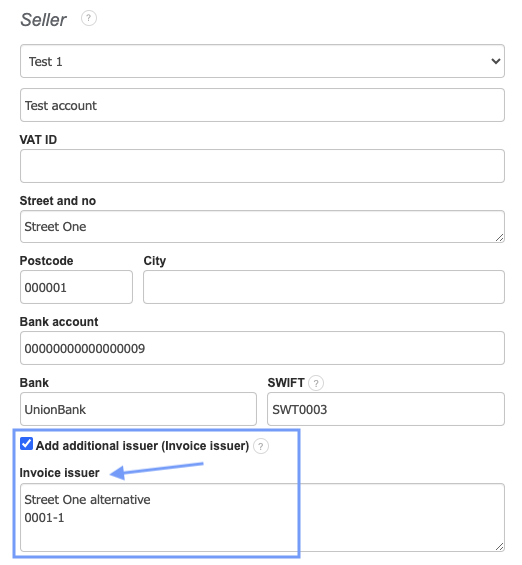
Go to the Invoice creation, in the Seller field select the option Add additional issuer (Invoice issuer). The information set up under Company/department will automatically populate under the Invoice issuer field.