Skip to content

How to change the text size in the ‘Total due’ section (Default template)

Number of views: 2516 1 min read

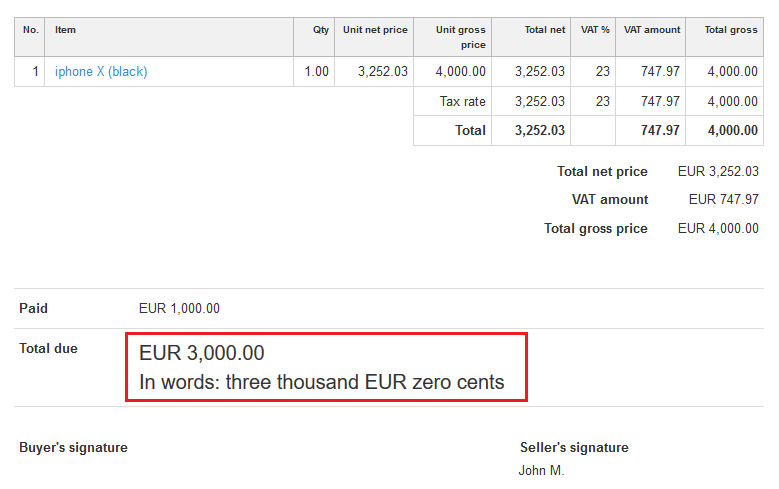
If you want to enlarge the text size in the ‘Total due’ section, you have to use the CSS code below.

Remember that this option is available only in the Default template.


}@media all{

.clean.to_pay .inv_to_pay td{

font-size:20px;

}

}


This CSS code must be set up by clicking on the: Settings > Account settings > Print settings > Configuration > Customize print with CSS.


Here are some examples after using this CSS code:
Was this entry helpful?

Share

Main response Kacper Seta 2020-03-23 09:11

Hello,
I think you have mistakenly posted your personal information in this article. I would suggest to delete your comment.

If you have any questions, feel free to contact us at helpdesk@invoiceocean.com

Best regards,
Kacper Seta

Comments (2)

Kacper Seta 2020-03-23 09:11 Main response
Hello, I think you have mistakenly posted your personal information in this article. I would suggest to delete your comment. If you have any questions, feel free to contact us at helpdesk@invoiceocean.com Best regards, Kacper Seta
Anonymous 2020-03-14 12:22
Full Names: SAYYAN KHONKHAENG Address: 90/86 SOI8 KHLONG UDOMCHONLAJON  MUEANG CHACHOENGSAO 24000 Country...THAILAND Phone..+660822407606