InvoiceOcean allows Users to put their own stamp under the signature of the issuer.
To do this:
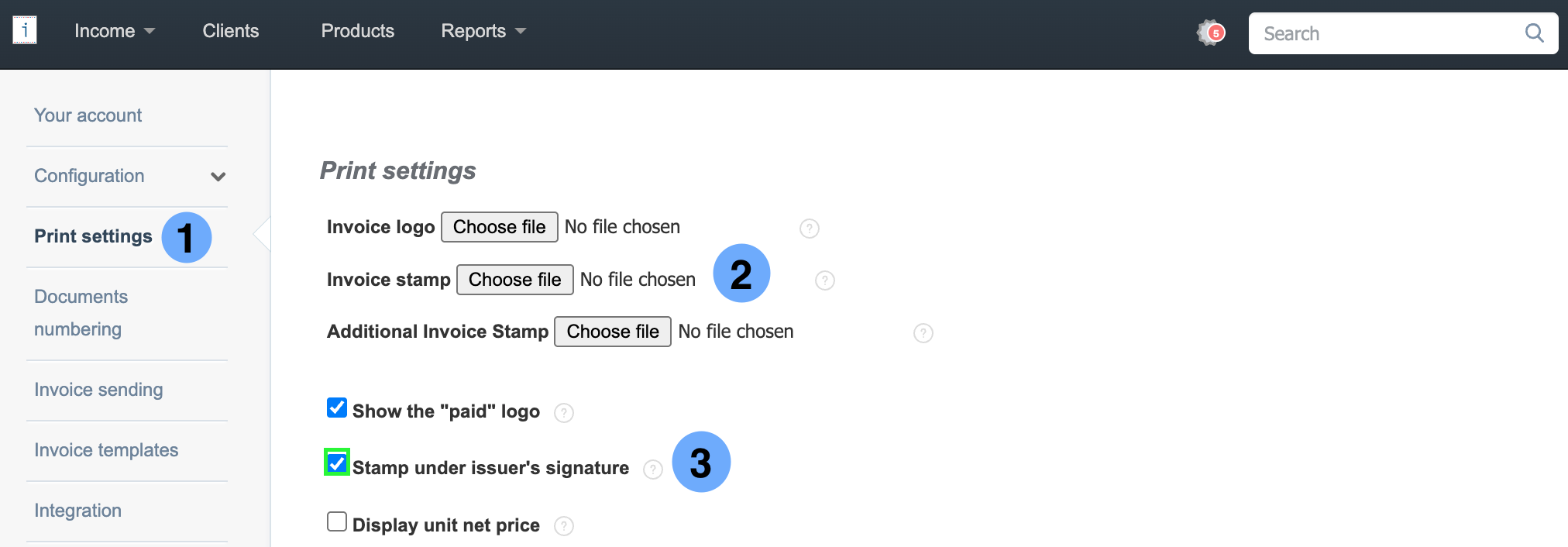
- go to Settings > Account settings
- go to Print settings
- press the Choose file button
- after selecting the file, check the Stamp under issuer's signature checkbox
- press the Save button
Click here to learn how to resize the stamp.