InvoiceOcean - in addition to the option of setting its own stamp on the invoice (Stamp under the issuer's signature) - gives Users the option to change its size.
To change the size of the stamp:
- go to Settings > Account settings
- go to Print settings
- scroll to the bottom of the page, go there to Configuration
- in the Customize print with CSS field reduce or increase the percentage
- press the Save button
Remember that these changes will only be visible in the printout or PDF generated by the system.
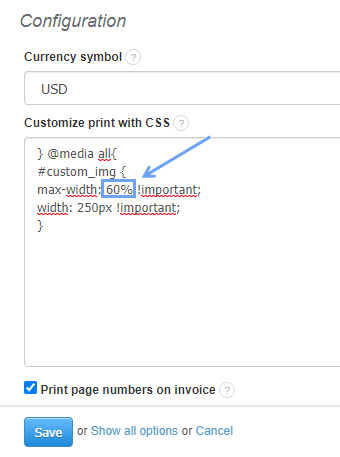
Code to copy if needed:
#custom_img {
max-width: 100% !important;
width: 5cm;
}