You may activate this option whilst issuing a new invoice. Just click on the crown wheel icon, on the Invoice entries section and then choose Add a page break.
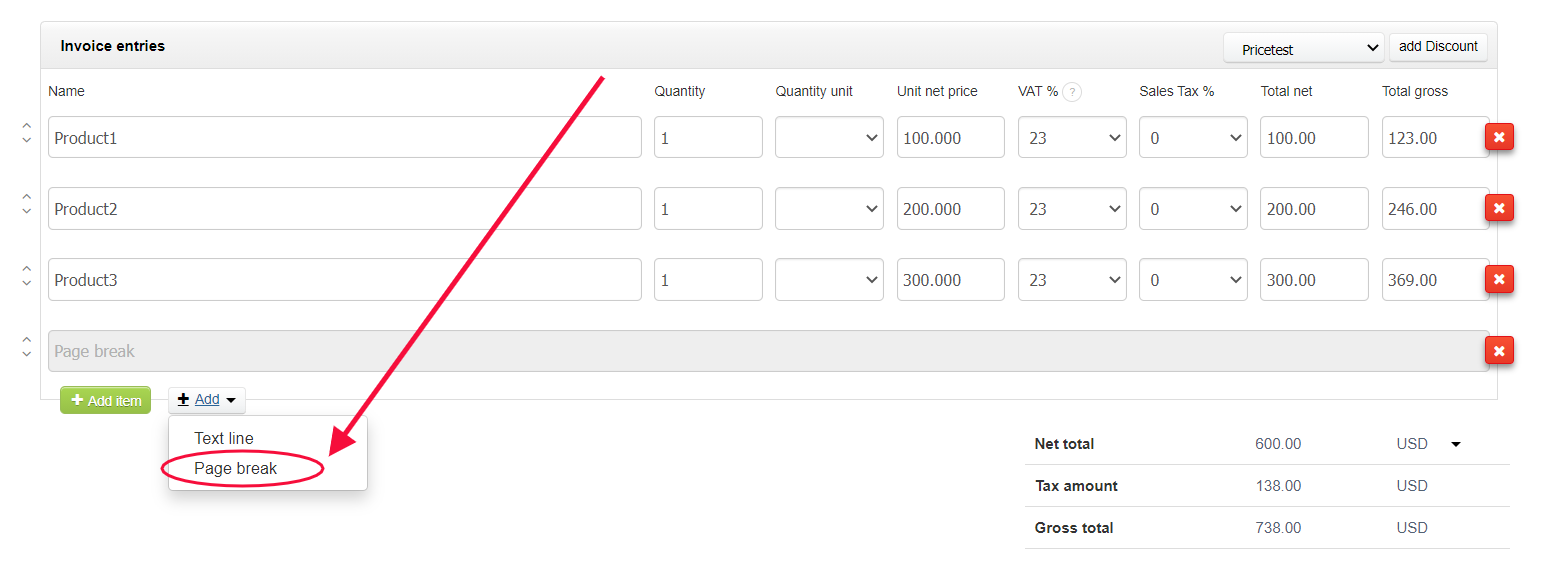
After that a gray Page break field will appear. This is a divider which you can easily move between your list of products on the invoice. Depending on where you put it, said page break will move all the products below to the next page.
The final preview is shown here:
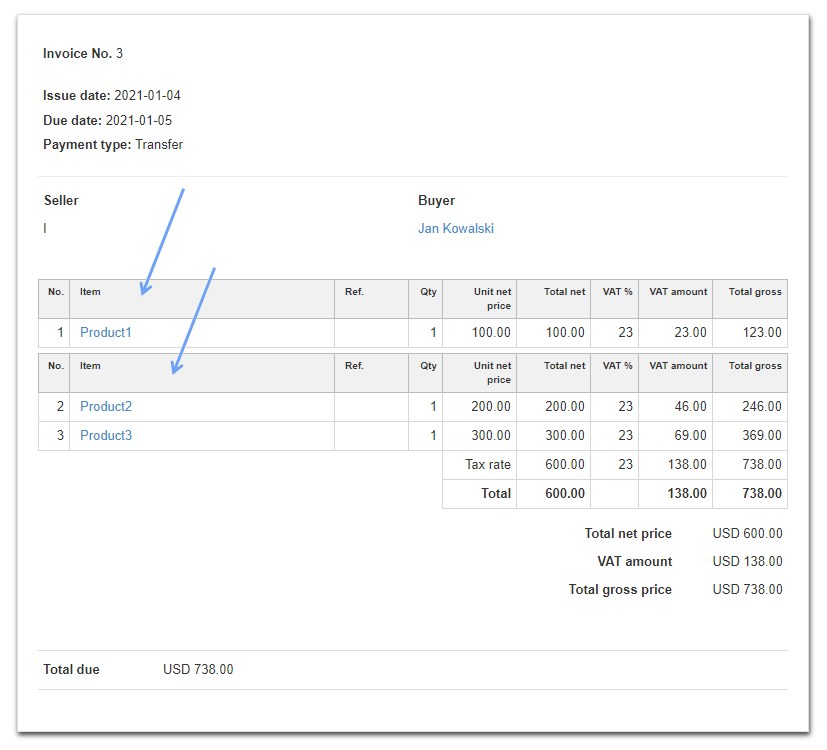
Due to this option, you may graphically control your products on the printed document.