InvoiceOcean allows you to add a text line between the Invoice entries.
While performing/editing an invoice, below the last position click Add > Text line.
Then you have to write down any information you would like to print on the invoice, that will separate items from each other.
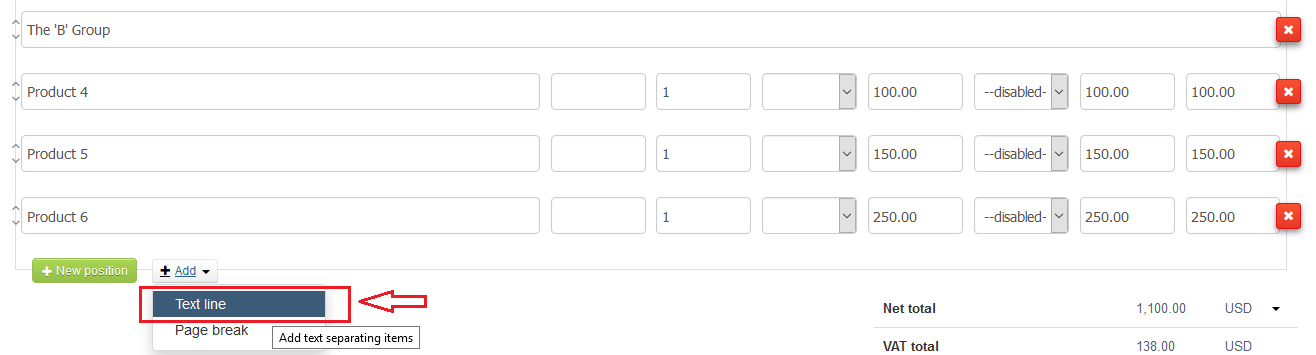
You may enclose there an extra data, i.e. to make headline in the document, so it will look more transparent amongst many invoice entries.
