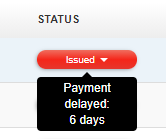
If an issued invoice has not been paid on time (the invoice is overdue and is not yet marked as paid), it is marked with a red status on the list of documents. When you hover over this status, you can see the payment delay expressed in days.
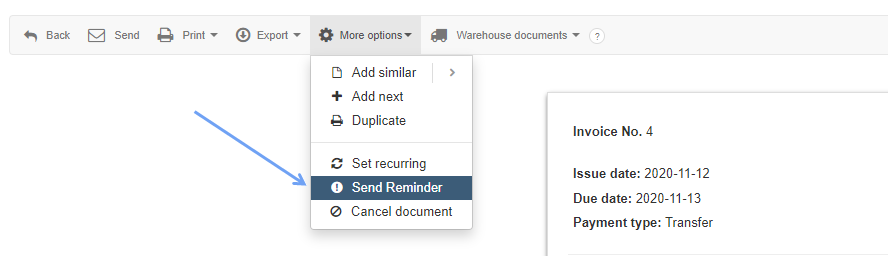
In the case of an unpaid document, the deadline of which has expired, you can send a payment reminder to the Client: in the top menu of the invoice preview, select More options> Send Reminder.
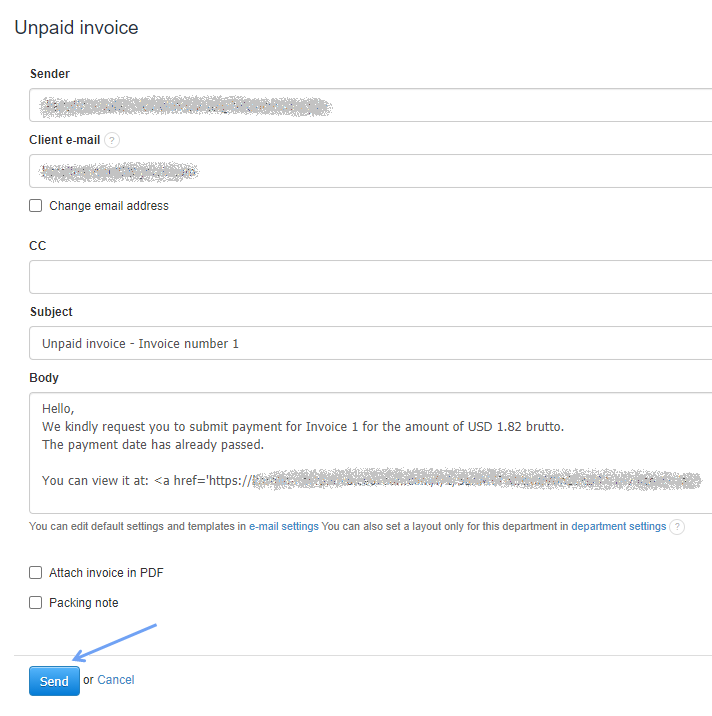
The program will redirect you to an e-mail form with the content of the correspondence, which informs about the expiry of the invoice. After constructing the message, the reminder can be sent using the Send button.
Searching for an answer...
AI Answer
Sources
Was this answer helpful?
Unfortunately, I couldn't find an answer to this question.