To generate such export of documents:
1. Go to menu Income/Invoice> All.
2. Then, on the right, above the list of invoices, select the Export/Reports button and select Export to CSV.
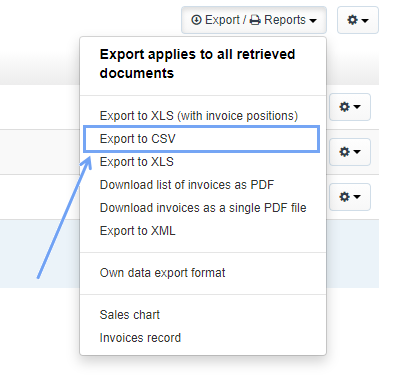
The program will show a message asking you to export a given number of documents. By clicking the OK button, the data will be saved in a csv file on the computer.

Using the Basic, Professional and Enterprise subscription plans, you can generate a csv file containing the export of up to 1000 documents.
In the case of import, the limit is also 1000 items.
You can read more about imports here.