If you want to update products that are already generated on the invoiceocean.com, without changing them manually, but through the current product import file, initially proceed as with the standard import procedure.
Go to Settings > Import, select the Import products button on the left side of the screen. Then, select the import file you want. Next, use the Next button. After the data has been loaded by the program, click Review the data and import.
The differences during the update appear in the second step of import, as we uncheck the Import as new position option (set by default), and then we select Update positions.
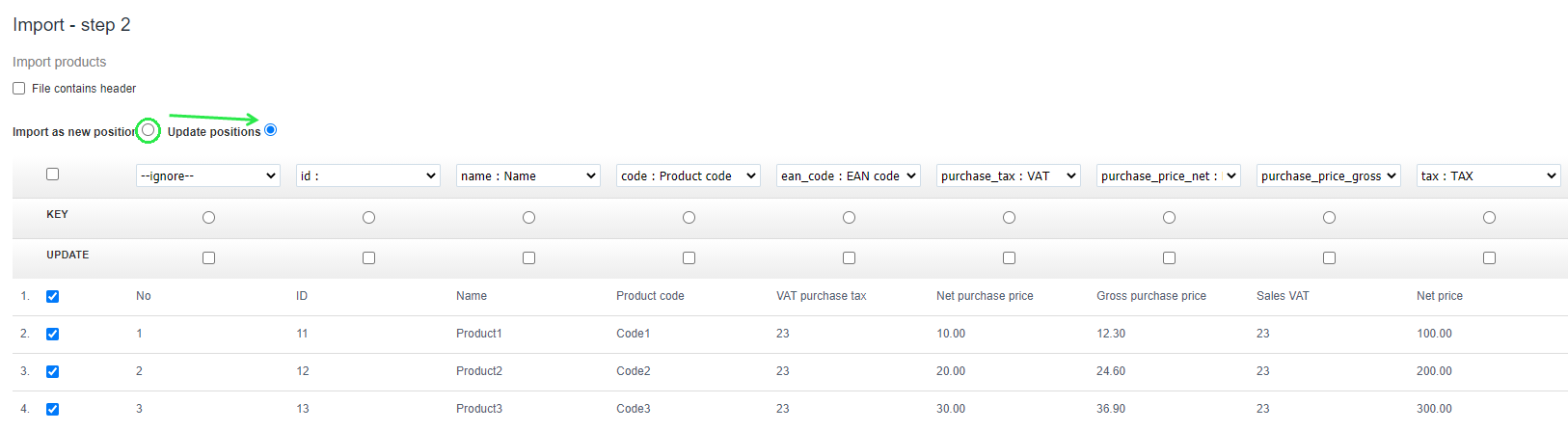
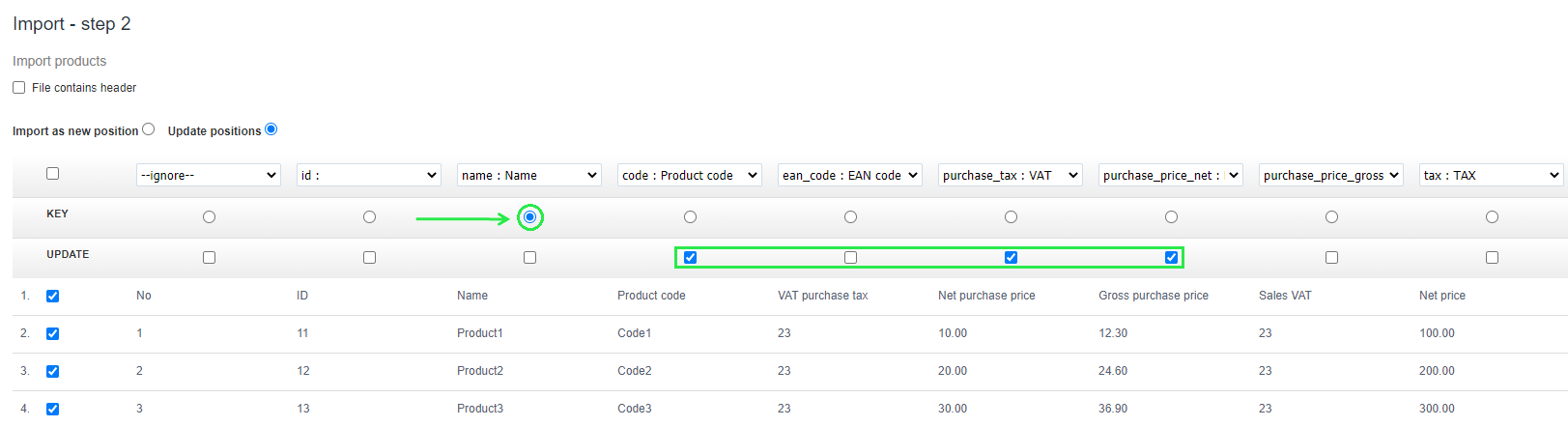
Then, select the KEY field and mark the parameter by which the program should search for products intended for update; in this case it will be the Product Name.
The next section UPDATE refers to those product parameters that are to be updated by a given product import, in this case: Product code, Net purchase price and Gross purchase price.
Updating product warehouse quantities using file import.
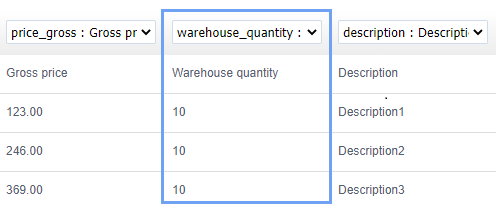
When updating product data using an import file, you can also correct (update) warehouse quantity. All you need to do is to enter the appropriate content in the Warehouse quantity field in the xls file.
After saving the import file and completing the second import step, you should assign the changed content to the warehouse_quantity column.
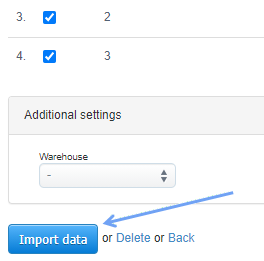
Then, all you have to do is use the Import data button. Product data will be updated.

After importing the file, the products will update.
When updating warehouse quantity, in the case of enabled Warehouse Management, the program will add an AG document (if we have updated larger warehouse quantities for specific products) and an RG document (if the product quantities updated by you were smaller than the previous state in the system).
If you do not run a warehouse and do not use warehouse documents, the program will change the data in the Available quantity column on the product cards after updating the product quantities.