When issuing documents, you can choose one of the available payment methods during their creation. The system also allows you to select settings directly from the default account settings or issued invoices. In this article, we will show you how to assign a default payment method for a specific client, which the system will automatically read on invoices issued to them.
Default payment type for a specific client
To select a default payment method for a specific client:
1. Go to the Clients tab.
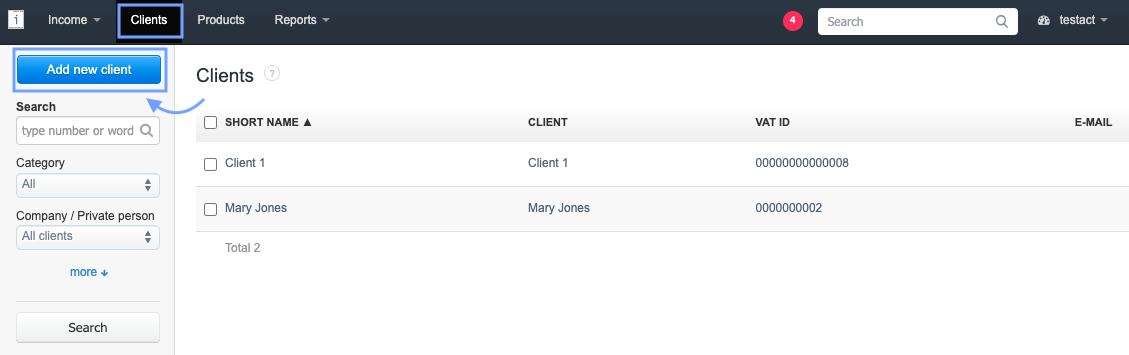
.2. Create a new client using the Add new client button or click on the name of the client available on the list and use the edit option,
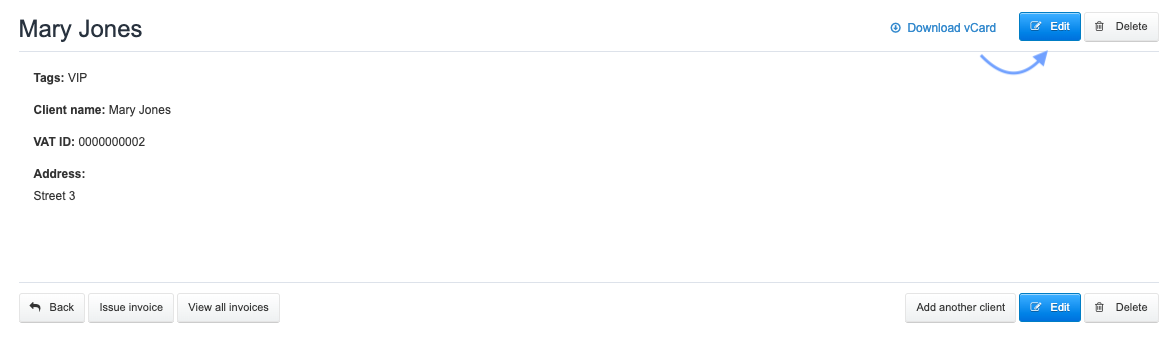
3. In the client creation/edit form, go to the See more options section (or Hide additional options if already expanded),
4. find the Default payment type field, and after clicking, select one of the available options (using the more option you can add your own payment method).
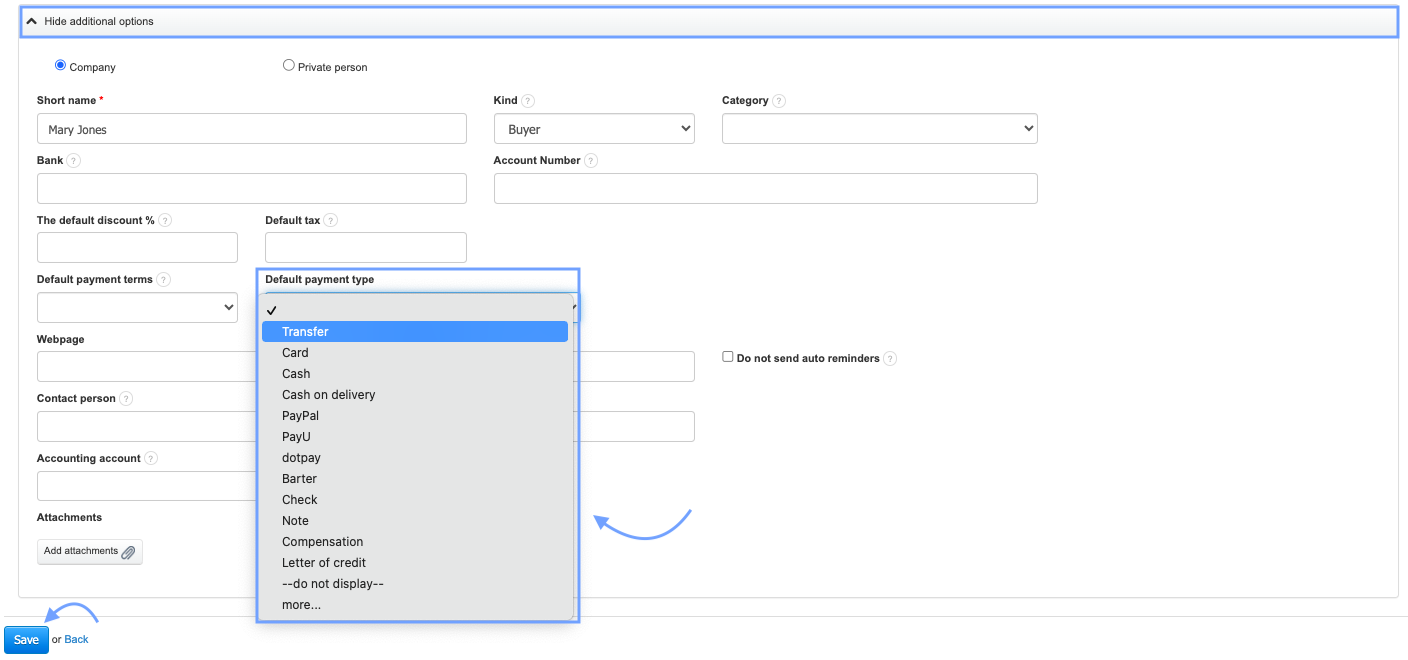
5. Make the remaining changes and confirm them by clicking the Save button at the bottom of the form.
When issuing an invoice and selecting a client whose default payment method is set in the client card, the system will automatically read it into the designated field.
Also, check: