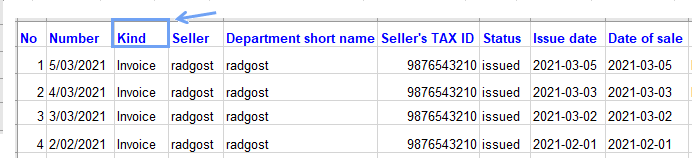
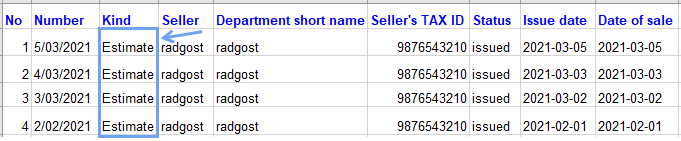
If you want to import documents other than invoices, change the name in the Kind column in the file saved on your computer to import (with the extension as below*).
For example, if they are to be estimates, and in the document they are saved as an invoice, then in order for the system to save them as estimates, in the Kind column, where you have the word invoice, change it to the word estimate. Save those changes and follow the instructions given below.
For example, if you want to import documents to InvoiceOcean, go to: Settings > Import> New Import.
Data can be imported in the following file types: .XLS, .XLSX (Excel), .ODS (Open Office), .TXT, .CSV , .TSV
Important: the imported data file must be prepared according to the template available on the website, which means that it must contain the same column names and their order as in the example.
Example of column settings when importing clients below (from a CSV file):
No,ID,Short name,Client name,Tax ID,City,Post code,Street,Country,Delivery address,Company,Email,Website,Telephone,Mobile phone,Fax,Forename,Surname,Bank,Account number,Individual bank account,Additional description
1,27,Client1,Company1,123456789,London,,EC2Y 5DN,England,,0,email@email.co.uk,www.company1.com,783048882,654456789,223334455,John,Smith,123456789,2244455666,,
2,29,Client2,Company2,123456789,Manchester,,M14 5SE,England,Brighton BN1 1YB,1,email2@email.co.uk,www.company2.com,783057782,543908373,113334455,Jane,Smith,123456789,66244455666