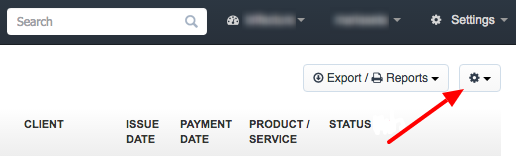
In order to do so, go to Income, press the settings button at the top-right corner of the screen and select the option Customize the column display.
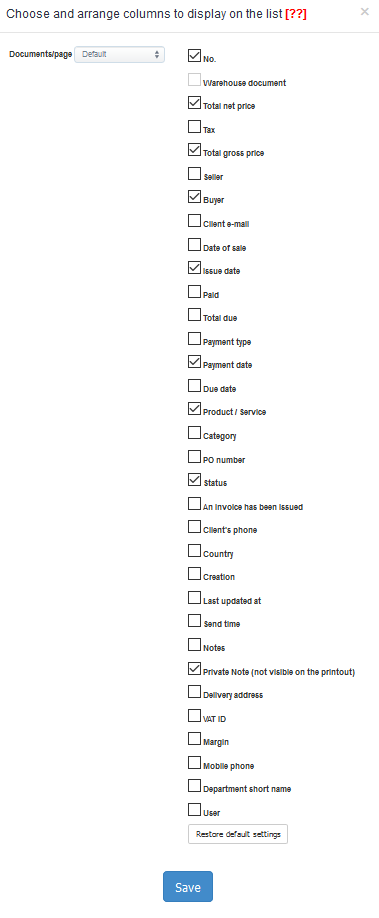
Now select the columns you want to appear on the clients list:
Unfortunately, I couldn't find an answer to this question.
Unfortunately, I couldn't find an answer to this question.