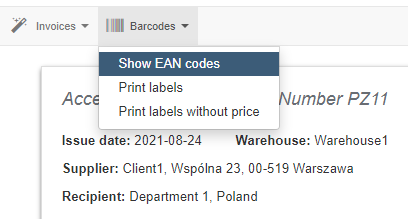
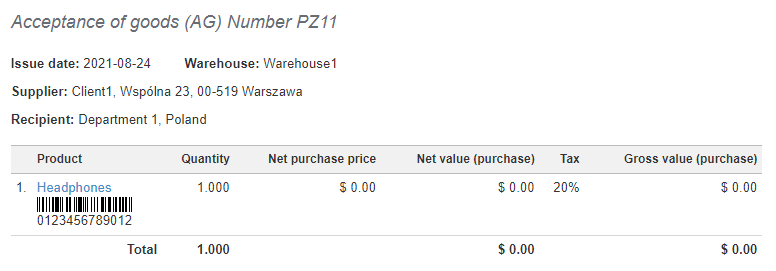
In the system in the warehouse document preview you can place EAN codes next to the products.
(The barcode must be entered correctly in the product card to be displayed)
To do this, go to the warehouse document preview by clicking its number and from the pop-up menu select Barcodes> Show EAN codes.