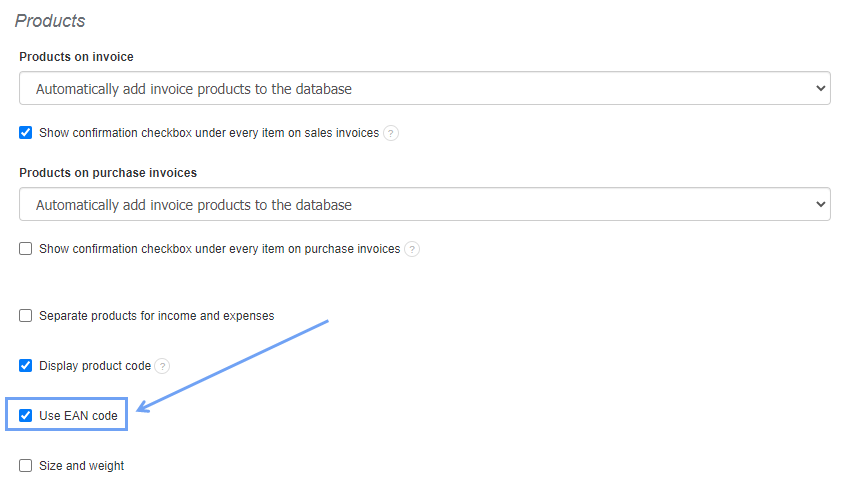
System supports barcodes in the EAN-13 standard. To enable barcode support, go to Settings> Account settings> Configuration> Products> Use EAN code> Save.
The next step will be to add products with EAN barcodes to the system or to supplement existing product cards with EAN codes by scanning the code with a scanner connected to your computer.
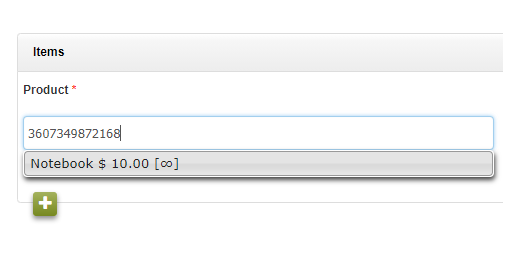
After connecting the code reader, hover over the text field and scan the barcode. After this operation, the field will be filled in automatically. With the code reader you can both enter products into the warehouse and find them more easily in the future.
Below is a manual showing how the reader works:
Go to the tab Warehouse/Products> Products> Add new Product
Add the product name and scan the barcode with the code reader. The system checks if the code is correct according to the EAN-13 format and displays a green tick in the box.
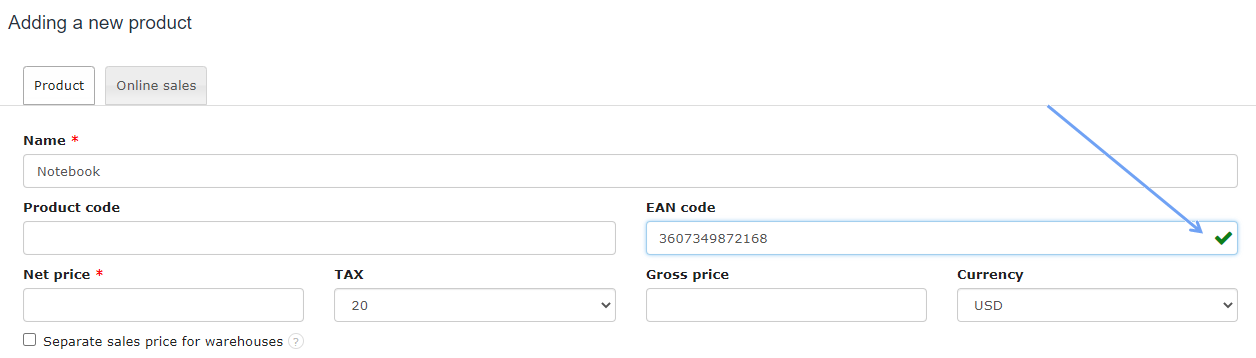
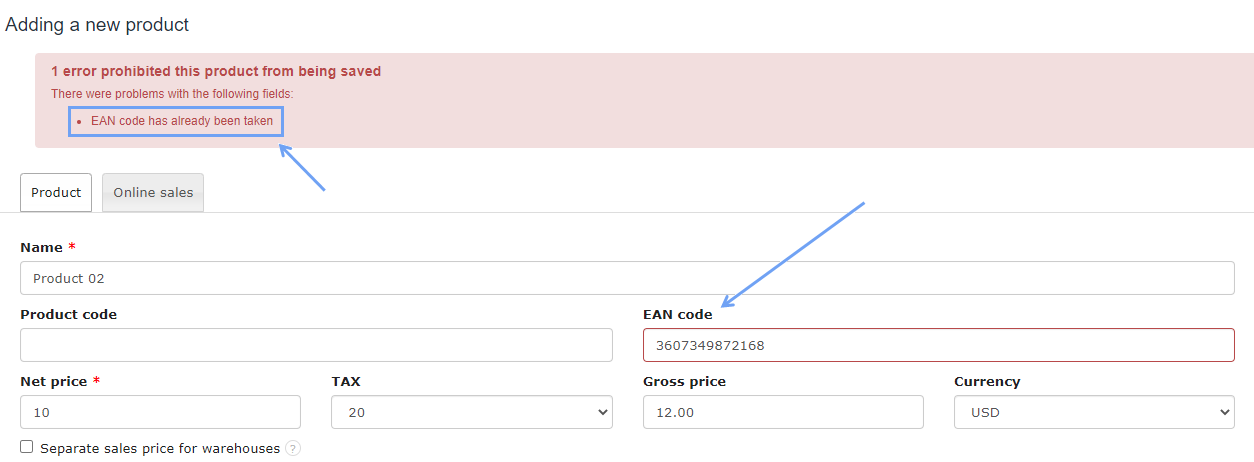
Each EAN Code added to the system must be unique. In one product list there cannot be two products with the same EAN code.
The system verifies the correctness of the code, but also if the EAN code is already assigned to a product. If the EAN Code has already been entered then the corresponding message is displayed in the red frame (see above).
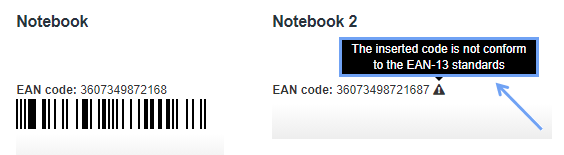
List showing the differences after entering the correct and incorrect EAN code:
Note!!! When creating a warehouse document that does not have a permanently assigned product code field, the program will not display the product that will be read by the code reader.
On warehouse documents the product should be scanned with the code reader to the product name. Then, after the product code, the system will help you choose the right product from the list.