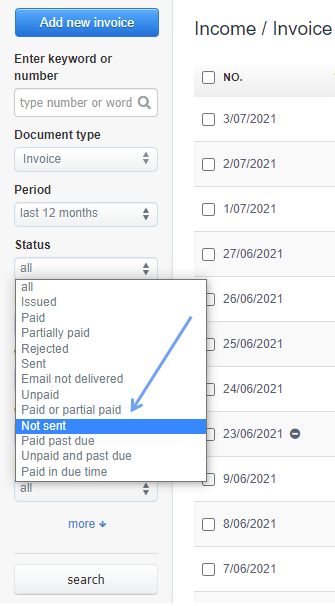
In InvoiceOcean you can search for unsent invoices.
To do this:
- go to the invoice list
- in the search field on the left-hand side in the field Status select the option Not sent
If you send an invoice by e-mail directly from InvoiceOcean, it will automatically be marked as Sent. If you are sending a paper invoice, you can mark it as Sent by changing the status yourself.
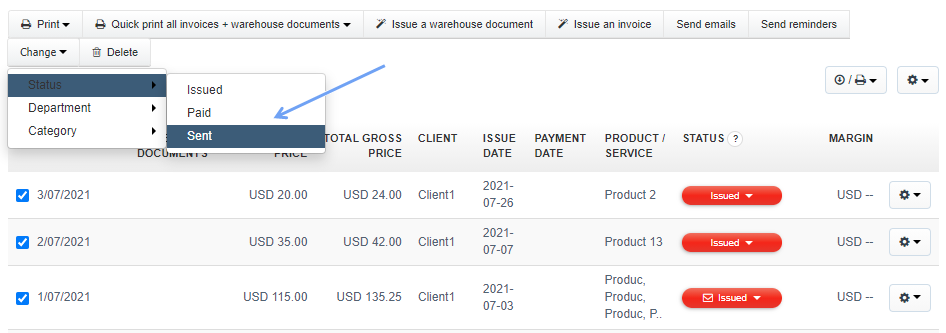
It is also possible to change the status to Sent of several invoices at once. To do this, select the checkboxes next to the selected invoices, and then in the menu at the top, click Change> Status> Sent.